- Joined
- Oct 24, 2023
- Messages
- 2
- Reaction score
- 0
Hi There, I have just installed 3CX on one of my VM's the Debian 3CX provided by 3CX
I have followed the YouTube tutorial and I created a new extension for a user and did not receive the email to get the configuration file so I checked the Mail Server in settings and I believe we need the SMTP Server in order to send the email via 3CX on premises portal
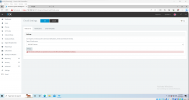
When I am using the 3CX SMTP Server and clicked on Test I am getting the following error
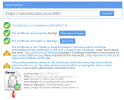
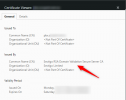
"The remote certificate was rejected by the provided RemoteCertificateValidationCallback."
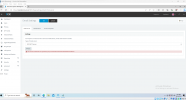
I also tried to use the custom server and MS365 with my account but getting the following error for these 2 options.
"Access certificate is not generated."
Is there any platform where I can learn 3CX Basic and Advance? The YouTube has the video but they are 2 years old and not very helpful.
I have followed the YouTube tutorial and I created a new extension for a user and did not receive the email to get the configuration file so I checked the Mail Server in settings and I believe we need the SMTP Server in order to send the email via 3CX on premises portal
When I am using the 3CX SMTP Server and clicked on Test I am getting the following error
"The remote certificate was rejected by the provided RemoteCertificateValidationCallback."
I also tried to use the custom server and MS365 with my account but getting the following error for these 2 options.
"Access certificate is not generated."
Is there any platform where I can learn 3CX Basic and Advance? The YouTube has the video but they are 2 years old and not very helpful.