Tunnel Hangs Network Card

Status
Not open for further replies.

DMC

Joined
Oct 2, 2009
Messages
7
Reaction score
0
I have succesfully set up a tunnel to our remote office. The remote phone registers with the 3CX system and functions normally. However there is an annoying problem in that the tunnel appears to lock up the network card that is connected to the router used for internet access on the 3CX PC. If the tunnel is disabled internet access is fine and no problems occurr. When the tunnel is enabled the connection will be active for 1, 2, 3 days at a time but then the connection will be lost. The connection can be restored by disabling then re-enabling the network card connected to the router.

My conclusion is that an interruption in internet connectivity is somehow causing the tunnel software to hang the network card. The 3Cx and tunnel applications continue to run quite happily and there are no other problems with either PC. My "fix" at the moment is to run a windows macro every morning to dis and re-enable the network card before the phones are used during the day. However there have been a couple of occaisions when the connection has gone down during the day.

Has anyone experienced anything similar or can suggest a permanent fix?
 
Hello DMC,

do you use Version 7.1 or V8?
Witch brand of Networkcard are you using?
When you check the open Handles in the taskmanager.
How many do you see when its just restarted and how many when you lose connectivity?
As well the threads may be helpfully. Can you update the network card drivers maybe?

Greetings
Stefan
 
Hello Stefan

Thanks for getting back to me. I am using V7.1. The card is a Netgear FA311 and the driver does seem to be the most up-to-date.

I will need to wait for the connection to be lost to have a look at the handles/threads.


Regards
DMC
 
Let me know the outcome,
if u have any change to change that card in ur test to Intel,Realtek or Broadcom card would be good to know if its removes the issue this way.
 
When the card is not working the no of Handles is 20768 Threads 728. When the card is working Handles 20875 Threads 766. These figures vary according to activity but I have taken the figures when the system activity is minimal.

I am using the motherboard network interface for our LAN (which connects to the other phones in the system). I will try swapping the interfaces so that the Tunnel uses the motherboard interface and see what happens.
 
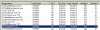
200+ in idel is way to much
Here is my system no one connected via tunnel in idle mode
 

Attachments

  • Tunnel.jpg
    Tunnel.jpg
    86.7 KB · Views: 1,078
I have seen this sort of thing happen on rare instances with Marvel cards. Never seen it on a Netgear card however.

Their are some known issues with programs and SMP on multi core processors. You may wish to locate the executable, right click on it and turn off infinity to only one core of the processor. The second step would be to downgrade the driver to an earlier one. Sometimes this isn't viable and you just have to replace the card with a different one.

It should be noted that this affects primarily Windows XP and Server 2003 32 and 64 Bit versions and Dual and Quad core processors. I have not run into this issue on any successor operating systems.
 
Sorry I misunderstood; the figures I gave were TOTALS. I have checked and for 3CXtunnel.exe the Mem Usage is 5,100 k, Handles 131 and Threads 8. This is for the tunnel connected and in idle mode. I will check what the figures change to when the connection is lost.

I have not had time to try swapping connections but will give it a go - probably next week.

If I right click the only option is to set the priority which at the moment is normal. Would increasing the priority help?

Thanks for assistance so far.
 
My apologies, This must be done from the Task Manager. Right click on the 3CX executable and change the Affinity.
 
Status
Not open for further replies.

Latest Posts

Forum statistics

Threads
111,884
Messages
589,542
Members
164,742
Latest member
Zain101