Solved Unable to dail outbound call from Teams Client

Status
Not open for further replies.

srane.sushant

Silver Partner
Advanced Certified
Joined
Feb 25, 2020
Messages
78
Reaction score
11
Hello All

I integrated team with 3cx Extension to extension call is working fine. But when i try calling out side organisation (UAE Local Number) its not going through (Getting error could not make call).

Tried capturing packet from 3cx console but unable to get log. (I assume team is not communicating with 3cx for external call)
All Certificate is showing ok
Port are open 5061
SBC on teams is active.

I used other option in 3cx while generating dail plan in 3cx.

Can some one help me please
 
Im even unable to capture log from 3cx console (Of call made from team to 3cx extension).
 
Hi!

So, just to be clear about what is currently working and what isn't working:
  • Call from Extension with 3CX Client to Extension with Teams Client --> Works
  • Call from Extension with Team Client to Extension with 3CX Client --> Works
  • Call from Extension with 3CX Client to External Number --> Works
  • Call from Extension with Teams Client to External Number --> DOES NOT Work
Have I understood the situation correctly?
 
Yes its correct
 
OK, when you dial from a 3CX Client to an External Number, in what format do you dial the number?

Remember that Teams will always try to dial in in the e164 number format, but not all providers support that format of dialing, so this could be why it's failing.
 
From 3cx client we use direct number 055 (no prefix).

I tried the same format dialing from team client but it failed

do i need to add some dialing rule to my 3cx pabx?
 
Yes, most likely you will need to create an extra Outbound Rule for Teams users.
What Teams is probably doing is converting your "055" to "+<your country code>55".

Try this:
  1. Create a new Outbound Rule
  2. This new Rule will have:
    - Prefix: +971 (assuming this is your country code)
    - Route 1:
    --- Select your SIP Trunk
    --- Strip Digits: 4 (again, assuming country code is +971 = 4 digits)
    --- Prepend: 0
  3. Save the Outbound Rule and place it at the top of the list of outbound rules
  4. Make a call from Teams client

If this still does not work, you will need to debug the issue:
  1. Go to Dashboard --> Activity Log --> Settings and set your system top Verbose Logging
  2. Make a call from the Teams Client
  3. If it fails, go to Dashboard Activity Log and check here for clues why the call is failing
 
Hello Nick,

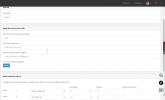
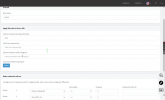
I added following rule to 3cx.

1644297812045.png

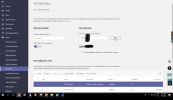
This is my team dail plan

1644298041785.png
As there was no option of UAE dail plan i choose other at time of office 365 setup.
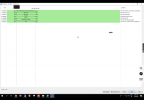
try capeturing log but unable to get any log of external calling. Only extention to extension log is capture

1644298251073.png

Im assuming that external call are not going till 3cx pabx.

issue still same
 

Attachments

  • 1644297781409.png
    1644297781409.png
    341 KB · Views: 17
Fair enough, but you won't see anything in Wireshark, Teams communicates with 3CX over TLS.
In order to debug the issue, as I previously said, you will need to:
  1. Go to Dashboard --> Activity Log --> Settings and set your system top Verbose Logging
  2. Make a call from the Teams Client
  3. If it fails, go to Dashboard Activity Log and check here for clues why the call is failing
There you should see an incoming request at minimum, and probably also a clue as to why it is failing.
 
  • Like
Reactions: smartsmart
Sorry Nick forgot to mention that I enabled Verbose logging. Still no log of external calling.
 
OK, can you make a call from Teams to a 3CX Client that you say works, and check if you can see that in the logs?
It is very strange that you cannot see the attempt to call an External Number in the logs.
 
Yes call from 3cx extension to team and vice versa log i can see. I attachted screen shot

1644313184749.png

But only when external call are made no log on 3cx .
 
I think I am not explaining things correctly. You are showing me a screenshot from Wireshark. You WILL NOT see any traffic there from Teams, so there is no point using that.

You need to check the Dashboard --> Activity Log, NOT though make a capture, rather the logs that are below in this page.

So I ask again, can you make a call from Teams to a 3CX Client that you say works, and check if you can see that in the Activity Logs?
1644314045324.png
 
  • Like
Reactions: srane.sushant

Hey NickD_3CX,​


You did your best effort to make things work. I really appreciate your help. Issue is now resolved.

Following are the step performed.

1. Disabled E.164 feture from 3cx (Got info from this forum Link:- https://www.3cx.com/community/threads/e-164-and-outbound-rules.81884/)

2. Added rule as you said on 3cx

3. Added following rule in team dail plan

1644319920996.png

And call start working.

Can close this tread now ...
 
  • Like
Reactions: NickD_3CX
I'm glad you managed to figure it out one way or another.

Technically speaking I think you could have made this work even without adding the extra dial plan rule, but the important thing is that a solution was found :)

I will lock the thread and mark as 'Solved'.
 
  • Haha
Reactions: srane.sushant
Status
Not open for further replies.

Members Online Now

No members online now.

Forum statistics

Threads
111,831
Messages
589,277
Members
164,660
Latest member
RJenkinsROCK