Unable to install latest version of 3CX

Status
Not open for further replies.

TracyLatimer

Joined
Oct 9, 2017
Messages
7
Reaction score
1
I've downloaded the latest version of 3CX, but cannot install it because of the currently existing version of the system. I cannot find where to back up the old version before uninstalling it. Listening to the online tutorial, it's telling me that the backup button should be on the left hand menu of the management console, however, I don't have a left hand menu. Or a right hand menu.
 
Hello @TracyLatimer,

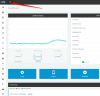
Does your Dashboard look like below?

upload_2017-10-10_9-51-50.png
If yes, click this button upload_2017-10-10_9-52-51.png to expand the left hand menu and find the Backup and Restore option.
 
Thanks for this. I have nothing that looks like this anywhere. The attached is what I have on my desktop right now.
 

Attachments

  • 3CX desktop.PNG
    3CX desktop.PNG
    22.8 KB · Views: 15
Hello @TracyLatimer,

That is the 3CX client (softphone).
To be able to backup your system, you need to have access to the PBX (Management Console).
 
How do I get that? Is this something I have to do online? Sorry, completely new to this system.
 
Hi Tracy,

Normally you should have access to your Management console, but I don't think you can do a backup from there.
Anyway if you don't already have access to your management console, you need to request your Administrator to grand you access (I'm assuming you are not the administrator). He can do it.

Or you should ask the Administrator to update the 3cx Client, he will be able to do it and once the server downloads the update, it will be pushed to all clients including you when you try to access the Softphone. That would be the best way to go, if you aren't the Admin.
 
Last edited:
Tracy,

May I know why you feel the need to backup your 3cx Client or Softphone?
 
I am the administrator and was trying to download the latest version of 3CX onto my PC, which is where the phone system is hosted. However, it seems there is a problem with our IP address that not even 3CX can solve right now, until we either find a 3CX partner, or purchase a support package, which we do not have.
 
Cant you simply update the 3cx Client from the Management Console?
Is there any issue?
 
I don't have access to the management console because there is a problem with our IP address. 3CX can't even get into it with the IP address they are holding for us.
 
Maybe because that dynamic IP is now changed and not updated by 3CX?
 
Yes, I believe that is the problem.
 
Status
Not open for further replies.

Forum statistics

Threads
111,876
Messages
589,517
Members
164,726
Latest member
ChapplePM