


- Joined
- Jun 3, 2023
- Messages
- 2
- Reaction score
- 1
Greeting!
I have followed the steps from https://www.3cx.com/community/threa...x-18-0-update-3-build-461.120928/#post-564879
The current version is 18.0 Update 7 (Build 424)
And just reinstalled my system, yet I'm still getting this error:
Unable to reach 3CX License Activation Server. Confirm that your Primary DNS Server is able to resolve activate.3cx.com
I tried ping and it's reaching the site:
root@3cx:~# ping activate.3cx.com
PING activate.3cx.com (104.18.15.54) 56(84) bytes of data.
64 bytes from 104.18.15.54 (104.18.15.54): icmp_seq=1 ttl=60 time=10.2 ms
64 bytes from 104.18.15.54 (104.18.15.54): icmp_seq=2 ttl=60 time=8.70 ms
64 bytes from 104.18.15.54 (104.18.15.54): icmp_seq=3 ttl=60 time=9.48 ms
64 bytes from 104.18.15.54 (104.18.15.54): icmp_seq=4 ttl=60 time=13.6 ms
64 bytes from 104.18.15.54 (104.18.15.54): icmp_seq=5 ttl=60 time=9.23 ms
64 bytes from 104.18.15.54 (104.18.15.54): icmp_seq=6 ttl=60 time=9.53 ms
64 bytes from 104.18.15.54 (104.18.15.54): icmp_seq=7 ttl=60 time=9.12 ms
64 bytes from 104.18.15.54 (104.18.15.54): icmp_seq=8 ttl=60 time=11.0 ms
64 bytes from 104.18.15.54 (104.18.15.54): icmp_seq=9 ttl=60 time=16.7 ms
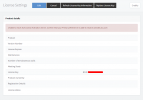
And now the license page is not showing anything.
I did setup my secondary DNS to 1.1.1.1 and port forwarding has been configured
What could be wrong? (I have been using 3CX for over 3 years now)
I have followed the steps from https://www.3cx.com/community/threa...x-18-0-update-3-build-461.120928/#post-564879
The current version is 18.0 Update 7 (Build 424)
And just reinstalled my system, yet I'm still getting this error:
Unable to reach 3CX License Activation Server. Confirm that your Primary DNS Server is able to resolve activate.3cx.com
I tried ping and it's reaching the site:
root@3cx:~# ping activate.3cx.com
PING activate.3cx.com (104.18.15.54) 56(84) bytes of data.
64 bytes from 104.18.15.54 (104.18.15.54): icmp_seq=1 ttl=60 time=10.2 ms
64 bytes from 104.18.15.54 (104.18.15.54): icmp_seq=2 ttl=60 time=8.70 ms
64 bytes from 104.18.15.54 (104.18.15.54): icmp_seq=3 ttl=60 time=9.48 ms
64 bytes from 104.18.15.54 (104.18.15.54): icmp_seq=4 ttl=60 time=13.6 ms
64 bytes from 104.18.15.54 (104.18.15.54): icmp_seq=5 ttl=60 time=9.23 ms
64 bytes from 104.18.15.54 (104.18.15.54): icmp_seq=6 ttl=60 time=9.53 ms
64 bytes from 104.18.15.54 (104.18.15.54): icmp_seq=7 ttl=60 time=9.12 ms
64 bytes from 104.18.15.54 (104.18.15.54): icmp_seq=8 ttl=60 time=11.0 ms
64 bytes from 104.18.15.54 (104.18.15.54): icmp_seq=9 ttl=60 time=16.7 ms
And now the license page is not showing anything.
I did setup my secondary DNS to 1.1.1.1 and port forwarding has been configured
What could be wrong? (I have been using 3CX for over 3 years now)





