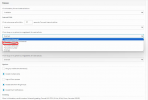
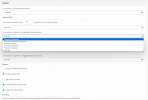
Unchecked Ring my mobile simultaneously option on extension doesnt work

Status
Not open for further replies.

vincent Kavila

Silver Partner
Advanced Certified
Joined
Mar 26, 2019
Messages
150
Reaction score
20
Hello, community,

I have unchecked Ring my mobile simultaneously on extensions but whenever a user receives a call to the desk phone, it rings on both the IP phone and mobile phone.
How do I ensure that the calls are only forwarded to the mobile if there is no response from the desk phone.
 
Despite the RMS option, if no answer the call is forwarded to the mobile of the extension?
 
Are you referring to 3CX App? your phone will always ring if the extension is registered. You'd need to turn off push notifcation or set up another ext on your mobile that your phone fwds to.
 
The “ring” option calls the cell number. If using the 3CX app, it can also be disconnected manually via the settings/accounts menu in the app…uncheck the account.
 
@vincent Kavila You will need to elaborate further here, when you say mobile, you mean the 3CX Mobile Client?
Let us know exactly the issue.
 
  • Like
Reactions: vincent Kavila
Hello, community,

I have unchecked Ring my mobile simultaneously on extensions but whenever a user receives a call to the desk phone, it rings on both the IP phone and mobile phone.
How do I ensure that the calls are only forwarded to the mobile if there is no response from the desk phone.
Dear Vincent,
The Ring My Mobile option is for your actual mobile number to ring as well.
IE: my extension is 158 and I am logged in to my web client and the mobile app I turn on the ring my mobile option (I should add my actual mobile number in the extension settings) then when I receive a call on 158 on top of both the clients ringing my actual mobile number will ring.
This functionality is very useful if you are traveling and don't have internet connectivity and therefore cannot get the phone call on your extension 158 for example so your mobile number will ring.
If you don't want the mobile application to ring then turn off notifications!
 
  • Like
Reactions: vincent Kavila
Just to clarify, when using the extension with the Desktop App and the Mobile app for example, those are considered as registered endpoints of the extension. The PBX will recognize and notify all registered endpoint of the extension.
If you do not want the mobile app to ring, you can simple disable the Option to receive PUSH when the status is Available.
 
  • Like
Reactions: vincent Kavila
Dear Vincent,
The Ring My Mobile option is for your actual mobile number to ring as well.
IE: my extension is 158 and I am logged in to my web client and the mobile app I turn on the ring my mobile option (I should add my actual mobile number in the extension settings) then when I receive a call on 158 on top of both the clients ringing my actual mobile number will ring.
This functionality is very useful if you are traveling and don't have internet connectivity and therefore cannot get the phone call on your extension 158 for example so your mobile number will ring.
If you don't want the mobile application to ring then turn off notifications!
Hello Mira,

I have no challenge on my personal number receiving calls. Or is forward to mobile the same as forward to number?
1697442415639.png
 
Just to clarify, when using the extension with the Desktop App and the Mobile app for example, those are considered as registered endpoints of the extension. The PBX will recognize and notify all registered endpoint of the extension.
If you do not want the mobile app to ring, you can simple disable the Option to receive PUSH when the status is Available.
If I disable push notifications, will I be able to receive calls from my mobile app for the same extension on my desk phone if I am away from the office? What I am forced to do is to assign a user 2 extensions, 1 for the desk phone is and another for the mobile app so that both the mbile app and phone do not ring at the same time
 
Maybe someone help me understand how the forward-to-mobile works and how is it different from forward-to number
1697442885822.png
 
To clarify, the RMS ption and the PUSH are totally different.
The RMS is for the PBX to call the mobile number of the extension while PUSH is to notify the 3CX App.
The call forwarding options for each extension status are configured t route calls accordingly depending on the Status of the extension. This is different for the Available, Away and so on.
In your case for example the user that is in the Office and does not want to use the mobile app, you can simple Disable the PUSH in the available status and enable the option to forward to mobile if the call reach the timeout. Note that the mobile number of the extension is configured in the General tab of the extension.
 
so that both the mbile app and phone do not ring at the same time
Changing extension status as noted is a quick way to switch the ringing/push on and off. Another option that will work without switching status is to disconnect the extension from the app...(3 bar menu) > Accounts > uncheck the extension. Need to check it again to use the app.
 
  • Like
Reactions: GregG_3CX
Status
Not open for further replies.

Forum statistics

Threads
111,974
Messages
590,081
Members
164,899
Latest member
mazet