- Joined
- Nov 3, 2021
- Messages
- 65
- Reaction score
- 9
There has already been a thread about this 2 or 3 years ago but this is still an issue and that old thread is closed... ( https://www.3cx.com/community/threads/unplugged-phones-appear-as-active-new-ones.62954/ )
My work flow is this
1. connect phone to network
2. phone appears in phone list as a new phone.
3. I copy its mac address
4. go to hotdesk section and add phone using the copied mac address
5. go back to phones page and select assign extension (i am told this will assign HD00003 to the phone and the phone provisions).
6. I then upgrade its firmware using the +Firmware button and the phone reboots and downloads the firmware etc.
The phone now sits in the phone list with extension HD00003 ready for someone to log on. (all good to this point)
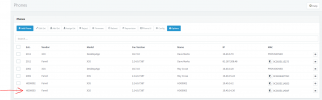
however we are not quite ready to deploy these phones so i unplug it from the network (to put it away until were ready to go live) and the original entry (when the phone was first discovered) re-appears back in the phones list... I know its the original entry as it still shows the old firmware...
My work flow is this
1. connect phone to network
2. phone appears in phone list as a new phone.
3. I copy its mac address
4. go to hotdesk section and add phone using the copied mac address
5. go back to phones page and select assign extension (i am told this will assign HD00003 to the phone and the phone provisions).
6. I then upgrade its firmware using the +Firmware button and the phone reboots and downloads the firmware etc.
The phone now sits in the phone list with extension HD00003 ready for someone to log on. (all good to this point)
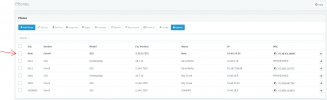
however we are not quite ready to deploy these phones so i unplug it from the network (to put it away until were ready to go live) and the original entry (when the phone was first discovered) re-appears back in the phones list... I know its the original entry as it still shows the old firmware...