- Joined
- Feb 7, 2018
- Messages
- 34
- Reaction score
- 12
Hello Everyone,
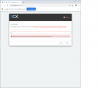
I would like to restore a backup of my current 15.5 configuration when updating to 16, but I want to test this out without impacting the current running server. I started to restore a backup when installing 16 but I have stopped at the license activation check. I have attached a screen shot of where I have interrupted the install. I have removed internet connectivity between each step because I do not want to cause any issues with our current production install. I have created a new trial license. Will the new license work if I put the new key in and reconnect to the internet and continue with the install? Is there a better way to test upgrading to Version 16 without disrupting our current production server? I'm also worried that our sip trunk providers will authenticate with the newly updated server. I'm working on a completely different network from the production server.Thank you for your help.
Regards,
Mark
I would like to restore a backup of my current 15.5 configuration when updating to 16, but I want to test this out without impacting the current running server. I started to restore a backup when installing 16 but I have stopped at the license activation check. I have attached a screen shot of where I have interrupted the install. I have removed internet connectivity between each step because I do not want to cause any issues with our current production install. I have created a new trial license. Will the new license work if I put the new key in and reconnect to the internet and continue with the install? Is there a better way to test upgrading to Version 16 without disrupting our current production server? I'm also worried that our sip trunk providers will authenticate with the newly updated server. I'm working on a completely different network from the production server.Thank you for your help.
Regards,
Mark