Upgrade 3CX from V18 to V20 on Windows Server 2019 OS

Status
Not open for further replies.

SipBoy

Customer
Joined
Sep 6, 2022
Messages
6
Reaction score
0
Hi,

I am running 3CX
  • Product Enterprise Annual
  • Version Number 18.0.9.31
On Windows Server 2019 datacentre

I still do not see an option to update to V20 on Admin Console
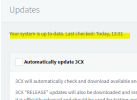
Admin portal says "Your system is up to date. Last checked: Today, 13:29"

So Production release of 3CX V20 on Windows Server is not available yet ?
1716780760022.png
 

Attachments

  • 1716780734782.png
    1716780734782.png
    42.7 KB · Views: 4
Please note that the upgrade is only for the Debian installation. To elaborate the upgrade for the Debian will also perform 2 OS upgrades(Debian11 and Debian12) and then proceed with the 3CX Version Upgrade.
This is not the case for the Windows installation as you will need to create a full backup and re-install with the new Windows Installer. Keep in mind that for the Windows this was always the case for the upgrade.
 
  • Like
Reactions: Evolute IT
Please note that the upgrade is only for the Debian installation. To elaborate the upgrade for the Debian will also perform 2 OS upgrades(Debian11 and Debian12) and then proceed with the 3CX Version Upgrade.
This is not the case for the Windows installation as you will need to create a full backup and re-install with the new Windows Installer. Keep in mind that for the Windows this was always the case for the upgrade.
In Windows installer case,
1. take a full backup using 3CX console V18 as .zip file
2. install V20 on Windows server , and restore the back up previously taken from step 1
3. Perform System testing
Correct steps ?


So before install V20, do we have to uninstall V18, If we are using same Windows box ?
Or simple install V20 on top of V18, as it detects previous V18 installation
How about the licensing post upgrade to V20?
 
In Windows installer case,
1. take a full backup using 3CX console V18 as .zip file
2. install V20 on Windows server , and restore the back up previously taken from step 1
3. Perform System testing
Correct steps ?


So before install V20, do we have to uninstall V18, If we are using same Windows box ?
Or simple install V20 on top of V18, as it detects previous V18 installation
How about the licensing post upgrade to V20?
Steps :
Take full backup. Keep the backup somewhere safe (outside the 3cx folder)
Uninstall v18
Restart Server
Install V20, use the v18 backup to restore 3cx.
Test the system

Regarding the license, it will be carried over to the V20.
 
  • Like
Reactions: Evolute IT
Steps :
Take full backup. Keep the backup somewhere safe (outside the 3cx folder)
Uninstall v18
Restart Server
Install V20, use the v18 backup to restore 3cx.
Test the system

Regarding the license, it will be carried over to the V20.
Sure make sense

we have
  1. FAX server configuration (receiving FAX)
  2. FAX Device configuration (Sending FAX)
on V18

These FAX related configurations will be restored nicely on V20 from back up ?

FAX is a business critical function for us.
 
Note that as a first step you need to ensure that the PBX is under the latest build of V18 and you have also checked the guideline below prior the update:
https://www.3cx.com/blog/releases/v20-upgrade-checklist-faq/
Furthermore you need to create a full backup and for security reasons not keep it locally. Then uninstall V18, reboot the server, install all latest OS updates and then start the V20 installer.
Note that Faxing should not be an issue in V20.
 
Note that as a first step you need to ensure that the PBX is under the latest build of V18 and you have also checked the guideline below prior the update:
https://www.3cx.com/blog/releases/v20-upgrade-checklist-faq/
Furthermore you need to create a full backup and for security reasons not keep it locally. Then uninstall V18, reboot the server, install all latest OS updates and then start the V20 installer.
Note that Faxing should not be an issue in V20.
Thanks for the detailed info .

After moving to V20, 3CX Management Console will still be available on top of Admin console ?

So we have to do all management task using Admin console itself ?
 
In V20 the management console that is in V18 will no longer be available in this format as the structure has been changed and re-designed. You can check this blog post for general information regarding changes in V20.
 
  • Like
Reactions: Evolute IT
In V20 the management console that is in V18 will no longer be available in this format as the structure has been changed and re-designed. You can check this blog post for general information regarding changes in V20.
Thanks for the update , So Within V20, most privileged admin account is "system owner" ?
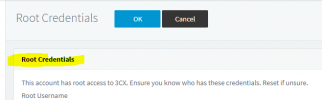
Root Credentials will not be applicable for V20 unlike v18 ?

1717547412288.png
 
So Within V20, most privileged admin account is "system owner" ?
Root Credentials will not be applicable for V20 unlike v18 ?
That is correct, and you will have your admin console in the amount of the user who have System owner role. So you will login via the email or extension number and indeed root credentials will no longer be used and work.
 
Status
Not open for further replies.

Latest Posts

Forum statistics

Threads
111,952
Messages
589,888
Members
164,843
Latest member
sambannoura