upgrade error from ver 16 to 18 (windows)

Status
Not open for further replies.

ac75

Silver Partner
Joined
Jan 11, 2022
Messages
4
Reaction score
2
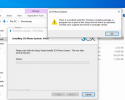
We are upgrading 3cx system to version 18 from 16, we make a backup and then remove V. 16 then try and install V 18

We get the following error please see attached file

seems to come up when the window pop up to choose web interface or command line. Any help would be much app.
 

Attachments

  • 3cxerror.PNG
    3cxerror.PNG
    138.3 KB · Views: 36
Have you rebooted the machine after removing v16.

Try disabling any anti-virus

What operating system are you using
 
Thank you for your reply

it windows 10 21h2, No Av installed on machine, have rebooted it still no joy.. please find attached the log file
 
I'd give the following a try:

1. Make sure the OS is fully updated.
2. Re-download the 3CX v18 Windows Installer from the new partner portal.
3. Run the installation as administrator.
 
Will do thank you
 
  • Like
Reactions: ChrisC_3CX
Let us know if you face anymore issues with it!
 
I'm having the same issue.
I have tried the above reccomendations without success.

Was a resolution to this issue found?

Support case logged.

Thanks
 
Hi

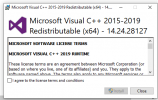
We had to install this before hand and it installed with out a problem.


3cxfix.PNG
 
  • Like
Reactions: ChrisC_3CX
Thanks for the above, we did install version 14.30.30704 before installing version 18.
 
Thanks for the above, we did install version 14.30.30704 before installing version 18.
So is this sorted for you now after installing C++ runtimes?

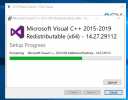
To clarify, the 3CX Installer actually installs these:
1644845558519.png
 
We got the same issue, is it possible that 3CX installs C++ after the initial install? So first v18 and then the updates on C++? Because the error is received before 3CX can install the update on C++.
 
We got the same issue, is it possible that 3CX installs C++ after the initial install? So first v18 and then the updates on C++? Because the error is received before 3CX can install the update on C++.
Does installing the above manually also fix the issue for you too?
 
Can't answer on this yet, still need to try. Will defently give feedback once we did.
 
  • Like
Reactions: NickD_3CX
I uninstalled the MS Visual C++ version 14.30, installed the 14.24 version (supplied by 3CX support) and v18 installed as expected.

It would appear that there's a dependency in version 14.24 that's not in 14.30 of C++
 
I have tried a couple of times to replicate this using these versions that you said, The cleanest machine I could find was this one:
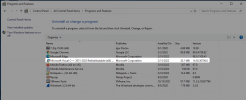
1644919654163.png

Even though nothing else was installed, the latest V18 U2 installed of 3CX for Windows ran just fine, so not sure why it happens in some cases and not in others.
It could be just a case of starting with a certain version in the past, then as Windows Updates update this, something gets "lost".

It is good at least to know it can be resolved by downloading and re-installing the C++ Visual Redists, but I think it would work even if you re-install the latest ones, at least when I tried it a couple of times it worked with 14.30 which is the latest I could find right now.
 
  • Like
Reactions: ChrisC_3CX
Had an older visual c++ (2013) and the new (that 3CX installs) but kept getting an error in the end. The solution was to delete the older version. After that no issue occurred.
 
Status
Not open for further replies.

Forum statistics

Threads
111,974
Messages
590,083
Members
164,901
Latest member
Silent_Guru