


- Joined
- Sep 8, 2017
- Messages
- 37
- Reaction score
- 2
I went ahead with my hardware upgrade even though I had some reservations about the process. Here are the problems I ran into.
1. When attempting to reboot my server had "waiting for network" error and hung twice but functioned on the third boot. From what I was able to gather there is an issue with Debian abandoning the initial IP interface settings established during setup and had to be reconfigured sometimes. I suppose I'm lucky I didn't have to reconfigure my IP interface from the command line to continue my installation as that doesn't appear to have happened in this case.
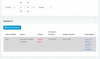
2. Instructions for "deactivating" your license prior to setting up the new system do not match the customer portal layout. Screenshots and instructions don't match up. https://www.3cx.com/docs/manual/pbx-backup-restore-failover/#h.2a3yvcw23lo4/ This document doesn't really show you the correct procedure for unbinding your public IP from your FQDN it just says "deactivate" but the portal has a big red "release" button. The instruction shows a way to switch to a "free license" but those controls weren't there. I was successful in "releasing" my license/fqdn/public IP using the release button with some trepidation. For what its worth I tend not to make assumptions when working on a production server on a Sunday. I like to think that the instructions available are accurate and up to date and I expect this to be the case especially when conducting a sensitive operation where my server is down hard and the instructions don't appear to match what I see on my screen.
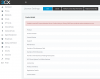
3. After completing the installation I attempted to reactivate my license and ended up with an error and my license is saying its expired and I have no support. When I click the button to refresh license information it hourglasses for a moment and comes back with "unable to contact activation server place make sure primary DNS can resolve activation.3cx.com. I can ping that URL and it resolves to 151.80.125.88 from the console of the pbx and from my personal computer at home. Both attempts at reaching your activation server failed on Sunday, March 8th between 11am and 12:10pm.
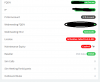
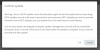
4. After installing I wanted to check my updates. The update shows "out of date" and is an "alpha" update according to the information. When I click the link I get a warning that this update is "beta" and should not be used in production.
As you can imagine I'm just a little confused.
I feel lucky at this point I'm able to send and receive calls but my dashboard says my license isn't active and I no support but we're paid up and we have a reseller linked.
Can someone please address this issue for me I don't need to spend money calling my reseller for support because your activation server URL was changed or was offline on a Sunday.
Also, I need to understand what's going on with this update and if I have the current production version or are there updates I'm missing.
Our server was not updated Debian 8 when Debian 9 came out so we were still on v15. The Debian 9 update was no longer available when I attempted to install it so I had to go with a new installation and a restore.
Any help would be greatly appreciated.
Thank you
Best
1. When attempting to reboot my server had "waiting for network" error and hung twice but functioned on the third boot. From what I was able to gather there is an issue with Debian abandoning the initial IP interface settings established during setup and had to be reconfigured sometimes. I suppose I'm lucky I didn't have to reconfigure my IP interface from the command line to continue my installation as that doesn't appear to have happened in this case.
2. Instructions for "deactivating" your license prior to setting up the new system do not match the customer portal layout. Screenshots and instructions don't match up. https://www.3cx.com/docs/manual/pbx-backup-restore-failover/#h.2a3yvcw23lo4/ This document doesn't really show you the correct procedure for unbinding your public IP from your FQDN it just says "deactivate" but the portal has a big red "release" button. The instruction shows a way to switch to a "free license" but those controls weren't there. I was successful in "releasing" my license/fqdn/public IP using the release button with some trepidation. For what its worth I tend not to make assumptions when working on a production server on a Sunday. I like to think that the instructions available are accurate and up to date and I expect this to be the case especially when conducting a sensitive operation where my server is down hard and the instructions don't appear to match what I see on my screen.
3. After completing the installation I attempted to reactivate my license and ended up with an error and my license is saying its expired and I have no support. When I click the button to refresh license information it hourglasses for a moment and comes back with "unable to contact activation server place make sure primary DNS can resolve activation.3cx.com. I can ping that URL and it resolves to 151.80.125.88 from the console of the pbx and from my personal computer at home. Both attempts at reaching your activation server failed on Sunday, March 8th between 11am and 12:10pm.
4. After installing I wanted to check my updates. The update shows "out of date" and is an "alpha" update according to the information. When I click the link I get a warning that this update is "beta" and should not be used in production.
As you can imagine I'm just a little confused.
I feel lucky at this point I'm able to send and receive calls but my dashboard says my license isn't active and I no support but we're paid up and we have a reseller linked.
Can someone please address this issue for me I don't need to spend money calling my reseller for support because your activation server URL was changed or was offline on a Sunday.
Also, I need to understand what's going on with this update and if I have the current production version or are there updates I'm missing.
Our server was not updated Debian 8 when Debian 9 came out so we were still on v15. The Debian 9 update was no longer available when I attempted to install it so I had to go with a new installation and a restore.
Any help would be greatly appreciated.
Thank you
Best


