Solved Upgrade to v16 failing

Status
Not open for further replies.

auxiliary

Customer
Basic Certified
Joined
Apr 7, 2019
Messages
12
Reaction score
1
I'm trying to upgrade from v15.5 to v16 on a Windows VM in Hyper-V. I've never had any issues upgrading between versions even when uninstall/reinstall is required. Been running 3CX since version v14.

I made a backup the normal way and uninstalled v15.5. When I tried to install v16 and restore from backup in the setup it gives the following error.
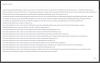
10154

I have even now gone to the lengths of building a brand new server 2016 VM, installing all Windows Updates and then trying to install. Same error. I have no idea how to proceed getting v16.
 
I'm trying to upgrade from v15.5 to v16 on a Windows VM in Hyper-V. I've never had any issues upgrading between versions even when uninstall/reinstall is required. Been running 3CX since version v14.

I made a backup the normal way and uninstalled v15.5. When I tried to install v16 and restore from backup in the setup it gives the following error.

View attachment 10154

I have even now gone to the lengths of building a brand new server 2016 VM, installing all Windows Updates and then trying to install. Same error. I have no idea how to proceed getting v16.

Try reinstalling the V15.5 and restore the backup, if the error still occurs then your backup might be corrupted.
 
Sorry that I forgot to mention those details. I did go back to 15.5 and got the last backup I ran (the one I tried to update to 16 with) to work just fine. It's not the backup that I can tell. Nothing I try though will upgrade to 16. Just for more information, here is the exact steps I've gone through...

  1. On the original working server that has been installed for 2+ years, I made a full backup with everything checked except for a password.
  2. Uninstalled 15.5 (this was a stupid mistake. I assumed the backup would work, so I didn't take a VM backup, only the built-in backup)
  3. Tried installing 16 on the same server with the restored backup, failed with the original error message. Thought it might be the install so I uninstalled 16, rebooted, installed 16 again, same issue. Tried using the command line interface for restore instead of web based, same error.
  4. Thought maybe there was corruption in the VM so I created a brand new 2016 VM and tried installing 16, same error
  5. Tried to reinstall 15.5 on the original server with the one backup, that also failed. This is where I realized I had screwed myself because I didn't backup the VM before uninstalling.
  6. Restored the entire VM from my regular server backup to the night before knowing I would lose a days worth of call history, voicemail, etc.
  7. Just for giggles, I tried to restore the last backup I made at the start into the restored VM and it worked, so I know the backup file is not corrupted. That got me a working 3CX again with all data from being I ever uninstalled.

Today I finally tried to install 16 again on the new VM using a fresh backup I made from the restored 15.5 box, SAME ERROR. Either I'm missing something in the new VM or the 16 installer has a bug.
 
Sorry that I forgot to mention those details. I did go back to 15.5 and got the last backup I ran (the one I tried to update to 16 with) to work just fine. It's not the backup that I can tell. Nothing I try though will upgrade to 16. Just for more information, here is the exact steps I've gone through...

  1. On the original working server that has been installed for 2+ years, I made a full backup with everything checked except for a password.
  2. Uninstalled 15.5 (this was a stupid mistake. I assumed the backup would work, so I didn't take a VM backup, only the built-in backup)
  3. Tried installing 16 on the same server with the restored backup, failed with the original error message. Thought it might be the install so I uninstalled 16, rebooted, installed 16 again, same issue. Tried using the command line interface for restore instead of web based, same error.
  4. Thought maybe there was corruption in the VM so I created a brand new 2016 VM and tried installing 16, same error
  5. Tried to reinstall 15.5 on the original server with the one backup, that also failed. This is where I realized I had screwed myself because I didn't backup the VM before uninstalling.
  6. Restored the entire VM from my regular server backup to the night before knowing I would lose a days worth of call history, voicemail, etc.
  7. Just for giggles, I tried to restore the last backup I made at the start into the restored VM and it worked, so I know the backup file is not corrupted. That got me a working 3CX again with all data from being I ever uninstalled.
Today I finally tried to install 16 again on the new VM using a fresh backup I made from the restored 15.5 box, SAME ERROR. Either I'm missing something in the new VM or the 16 installer has a bug.

I would start a small temporary Linux machine, install v15.5, restore backup, update to v16 then backup. I'd like to see if once the backup is made in v16, does it change something.
 
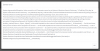
Here's the error trying to load the restore zip in the v15.5 Linux VM.

10155
 
Tried again on my working, existing v15.5 install. Created a new backup, uninstalled v15.5 and tried to just reinstall v15.5, same error message. I'm guessing something is wrong in my installation even though it works fine? How am I supposed to fix this?
 
@auxiliary
On your existing V15.5, go to Settings --> E.164 and make sure you have a country selected int he drop-down, then press OK.

After this you should be good to go!
 
Darn, wish I had seen this sooner. That's a weird thing but my country was missing. I've never used E164 before, must have been added since I originally installed?

I wound up getting it to work by installing a new v16 instance in a new VM and once it was up and running, restoring the backup in the management interface (not in setup).

Thanks NickD.
 
  • Like
Reactions: Evolute IT
@NickD_3CX What if this was disaster recovery? the restore didnt work and the backup was good? You expect the backup you work during the installation process. Would this happen on every restore that doesnt have anything set in E164?
 
Yea, I had the same thought. I tried the backup multiple times, with multiple versions, on multiple operating systems and with 2 VM's and none of them worked. I had to install a brand new installation on a new VM just to restore a working copy. That seems like a pretty huge hole in the upgrade to me.
 
@NickD_3CX What if this was disaster recovery? the restore didnt work and the backup was good? You expect the backup you work during the installation process. Would this happen on every restore that doesnt have anything set in E164?
You would have to do what auxiliary did, perform a clean install, then restore the backup. This was an issue that could occur under some circumstances, but has since been fixed quite some time ago. Unfortunately things like this carry over in backups, that is why some users are still running into this.

@auxiliary
Glad to hear the problem is solved! :)
 
Status
Not open for further replies.

Latest Posts

Forum statistics

Threads
111,918
Messages
589,738
Members
164,793
Latest member
Sense-IT-Mike