Upgraded to v20 on-prem - Backup Question

PhoneEP

Premier Customer
Joined
Feb 15, 2023
Messages
68
Reaction score
15
Sorry if this has been mentioned, but I could not find it...

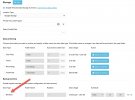
I installed v20 and all went fine. Only item I had to reconfigure was the Google voice to text api since it needed a json file now and not the api key. I followed the directions and got it added and tested, attached screen shot (blurred file and path).

I unchecked backups under storage because I did not want them going to the cloud. I went to backups and saw it was OFF now, so I clicked on schedule backup and setup like it was in v18 again I started a backup and it was nowhere to be found. I go back into the Storage place where Google Storage account is, and the backup is located there. If I uncheck, then my scheduled backup unchecks.

Is there not a way yet to have the scheduled backups save locally like they did and not go to Google Storage?

Thank You
 

Attachments

  • 2024-10-27_22-05-47.jpg
    2024-10-27_22-05-47.jpg
    97 KB · Views: 14
If you dont check that option under storage > backup they will save locally.
 
But as soon as it is unchecked, the Scheduled Backup option I have enabled turns off. If I turn back on and then go back into Storage, the check box is checked again.
 
I think I read that is how Google transcription works in v20. That said you should try the ai transcription it is significantly better than Google and doesn’t need remote backup. It’s also about half the cost.
 
  • Like
Reactions: PhoneEP
Thanks. I will check it out.
 
I think I read that is how Google transcription works in v20. That said you should try the ai transcription it is significantly better than Google and doesn’t need remote backup. It’s also about half the cost.
I configured Whisper, but now the Google Storage will not turn off no matter how many times I uncheck it and save.
 
I even tried to configure Sharepoint and saved it. I check it off, go off that screen and back...Google Storage is checked.
 
I think I read that is how Google transcription works in v20. That said you should try the ai transcription it is significantly better than Google and doesn’t need remote backup. It’s also about half the cost.
Was able to configure Open AI Whisper and it's working great, Thank You. Transcription is much better I have noticed as well.
 
  • Like
Reactions: CentrexJ
Was able to configure Open AI Whisper and it's working great, Thank You. Transcription is much better I have noticed as well.
One of our customers told us that the Google transcription was so bad that they used to compare funny mistakes each day with each other. He said with the AI Whisper the transcription is so accurate they need something new to laugh about at the office.
 
One of our customers told us that the Google transcription was so bad that they used to compare funny mistakes each day with each other. He said with the AI Whisper the transcription is so accurate they need something new to laugh about at the office.
Our users would forward me messages all the time and ask "where did it come up with that!?". The few I have seen from users so far, one was a good 45-50 seconds and zero mistakes and perfect punctuation.
 
Our users would forward me messages all the time and ask "where did it come up with that!?". The few I have seen from users so far, one was a good 45-50 seconds and zero mistakes and perfect punctuation.
The AI transcription is truly impressive. Even with thick accents. It even transcribed a French message I received and translated it to English.
 
  • Like
Reactions: PhoneEP

Forum statistics

Threads
111,955
Messages
589,926
Members
164,856
Latest member
Luca Christiansen