Upgrading to V15.5, Update 6 just got easier!

Status
Not open for further replies.

NickD_3CX

Community Manager
Silver Partner
Advanced Certified
Joined
Jun 2, 2014
Messages
5,571
Reaction score
1,981
For those of you who missed the release of V15.5, Update 6 it comes with some great new features. Amongst others, it includes a WebRTC softphone within the web client, smarter smartphone apps, SSL Security updates and more. Upgrading to the latest service pack is critical and we highly recommend you do so as soon as possible.

Version 15....​

Continue reading the Original Blog Post.

 
Last edited by a moderator:
Wow this tool sounds amazing. Thanks! Can't wait to use it.

Can you add it to your "download links" site for ease of finding latest version?
 
Wow this tool sounds amazing. Thanks! Can't wait to use it.

Can you add it to your "download links" site for ease of finding latest version?
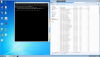
This tool is only for Windows and is just going to take your system to V15.5 SP6. We will not be maintaining it for future Service Packs, those will still have to be done through the Management Console.
Note though that for Linux you must do this through SSH.

We won't be adding it to the "download links" for these reasons, but feel free to bookmark this thread... :)
 
This tool is only for Windows and is just going to take your system to V15.5 SP6. We will not be maintaining it for future Service Packs, those will still have to be done through the Management Console.
Note though that for Linux you must do this through SSH.

We won't be adding it to the "download links" for these reasons, but feel free to bookmark this thread... :)

For those in a more strict/locked-down environment, I had the most troubling time trying to not only update to SP6 via the GUI, but this tool, as well.

Even in the GUI when changing the Downloads_URL to "-us", it still didn't want to connect and required me to disable China for Geo-IP Block. I read in another forum it's hosted on Google's cloud services, but there should still be a locally hosted option.

Secondly, we disable TLS 1.0 on ALL machines in our company, even the VoIP server. And even after disabling the Geo-IP Block for China, I then ran into this issue. I could download download the file with the direct URL, but the API used for both the GUI and the Windows Upgrade Tool provided, it failed over and over. Temporarily, re-enabled TLS 1.0 and the Upgrade Tool worked flawlessly.

In summation, I think it's good to supply this information up front, especially as PCI-DSS/GDPR compliance is more ubiquitous than ever before.

Just a friendly note.
 
Last edited:
@Help Desk - thank you for your note. I understand your issue with TLS 1.0 but please note that we have to interact with other devices and services that require TLS 1.0. So our hands our tied there.
 
@Help Desk - thank you for your note. I understand your issue with TLS 1.0 but please note that we have to interact with other devices and services that require TLS 1.0. So our hands our tied there.

Understood. And the disablement of TLS 1.0 is not too common in many instances, but a footnote somewhere on the download page or even this one would be helpful for those that may come across the same issue(s) I was having.
 
Hi guys.
How can I launch this tool?? I have to copy all files inside arcive into : C:\Program Files\3CX Phone System\Bin Path??
 
@Gnomx, the message says you need a .NET prerequisite and provides a link. Did you try visiting the link and installing whatever version of .NET it suggests?
Hi. Yes I did it but It didnt work... :(
 
Status
Not open for further replies.

Forum statistics

Threads
111,990
Messages
590,165
Members
164,929
Latest member
Cloudstar