- Joined
- May 22, 2023
- Messages
- 3
- Reaction score
- 0
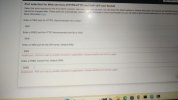
I am facing an issue with my 3-year subscription license. The system is unable to request a license from the 3CX server, making it seem like my license is down. I attempted to upgrade the system, but I was unable to complete the update.
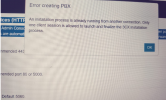
then i tried to install 3CX v20 using an ISO on a USB and boot my server with the new version. However, when I attempted to restore my backup file, I encountered an error stating that I needed to change the default ports. It seems that other systems are already using the default HTTP, HTTPS, and SIP ports, so I changed them. Despite this, I still received an error stating that the process is already running on another device.
then i tried to install 3CX v20 using an ISO on a USB and boot my server with the new version. However, when I attempted to restore my backup file, I encountered an error stating that I needed to change the default ports. It seems that other systems are already using the default HTTP, HTTPS, and SIP ports, so I changed them. Despite this, I still received an error stating that the process is already running on another device.