User-Agent Header

Status
Not open for further replies.

Zack Bana1998

Customer
Joined
Oct 16, 2017
Messages
9
Reaction score
0
Hi,

My SIP suddenly has difficulty registering. Upon checking, my SIP trunk provider mentioned that "your phone system did not send User-Agent Header for REGISTER. Kindly update outbound parameter to update user-agent header to REGISTER. We are using a 3CX hosted solution. Would anyone have a suggestion on what needs to be done? I would appreciate if anyone could share which setting needs to be changed. Thank you.

Regards

Zack
 
Hi @Zack Bana1998

Which SIP trunk provider are you using? 3CX does not send a user agent on the first registration attempt but it does once the first registration was successful. This is not something new however, it has been like this for a few years now so I don't think that its the issue. If you are using a supported provider however, we can test it.
 
Hi @Zack Bana1998

Which SIP trunk provider are you using? 3CX does not send a user agent on the first registration attempt but it does once the first registration was successful. This is not something new however, it has been like this for a few years now so I don't think that its the issue. If you are using a supported provider however, we can test it.
Hi Yiannish, thanks for your reply. We are using MyRepublic as the SIP trunk provider. Could you help me to test?
 
Unfortunately MyRepublic is no longer supported since the update 5 so we cannot test for you as our test accounts are no longer working.
Last data we have however indicate that the user agent was not an issue with the provider so they either changed something or that is not the issue.
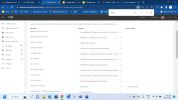
You can however test this. Navigate to your trunk settings / Outbound parameters and find the "User Agent: Text String" value.
Set it to custom and add "3CXPhoneSystem" to the value box.
1671437399243.png
Save it and test again. If this was the issue you can leave it like that. If the trunk still does not register then revert the change back to default.
 
  • Like
Reactions: Evolute IT
Unfortunately MyRepublic is no longer supported since the update 5 so we cannot test for you as our test accounts are no longer working.
Last data we have however indicate that the user agent was not an issue with the provider so they either changed something or that is not the issue.
You can however test this. Navigate to your trunk settings / Outbound parameters and find the "User Agent: Text String" value.
Set it to custom and add "3CXPhoneSystem" to the value box.
View attachment 33231
Save it and test again. If this was the issue you can leave it like that. If the trunk still does not register then revert the change back to default.
Thanks. The SIP is now registered (it is now in green color). I am now able to receive calls but not make calls. When i try to make the call, it says "server internal error"

Listed are the current settings:

1671438080417.png
Would you have any advice?
 
Did you add an outbound rule that matches your requirements?
 
Status
Not open for further replies.

Forum statistics

Threads
111,974
Messages
590,081
Members
164,899
Latest member
mazet