- Joined
- Nov 27, 2009
- Messages
- 9
- Reaction score
- 0
Hi,
I myself needed a FXS gateway, to be able to use my analogue fax, dialing out using my VoIP Provider. I do not have PSTN lines anymore.
I had a spare Linksys (Cisco) SPA9000, which I now use for this purpose.
I thought sharing how I did this, so you can use this as well.
There is now real gateway configuration necessary.
I created an new Extension (200).
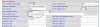
On the webinterface of the SPA9000, configured tab Line 1 to use my 3CX Phone System as the Proxy and used the User ID (200) and password I have set.
In the Contact field I set 299. This way it is also possible to receive faxes on the physical fax, instead of the build in FaxServer.
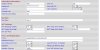
On the FXS 1 tab, I set the Display Name to 299 and the User ID to 299 as well. These fields to not relate to 3CX, but I are used on the SPA9000 only.
I set a Dial Plan to using a 1 for an outside line to distinguished from voice calls, which use a 0.
On the SIP tab, I therefor had to change Call Routing Rule to (<:L1,2,3,4>1xx.).
The created Fax extension should now show 'Registered (Idle)'.
To use the physcal fax to receive faxes I set the fax phone number in the VOIP Provider settings to Connect to extension 200, within 3CX Management Console.
I myself needed a FXS gateway, to be able to use my analogue fax, dialing out using my VoIP Provider. I do not have PSTN lines anymore.
I had a spare Linksys (Cisco) SPA9000, which I now use for this purpose.
I thought sharing how I did this, so you can use this as well.
There is now real gateway configuration necessary.
I created an new Extension (200).
On the webinterface of the SPA9000, configured tab Line 1 to use my 3CX Phone System as the Proxy and used the User ID (200) and password I have set.
In the Contact field I set 299. This way it is also possible to receive faxes on the physical fax, instead of the build in FaxServer.
On the FXS 1 tab, I set the Display Name to 299 and the User ID to 299 as well. These fields to not relate to 3CX, but I are used on the SPA9000 only.
I set a Dial Plan to using a 1 for an outside line to distinguished from voice calls, which use a 0.
On the SIP tab, I therefor had to change Call Routing Rule to (<:L1,2,3,4>1xx.).
The created Fax extension should now show 'Registered (Idle)'.
To use the physcal fax to receive faxes I set the fax phone number in the VOIP Provider settings to Connect to extension 200, within 3CX Management Console.