- Joined
- Dec 17, 2020
- Messages
- 21
- Reaction score
- 1
Hi, this is related to https://www.3cx.com/community/threads/challenge-with-tapi-vs-rds.78240/ butI got no answer at all there.
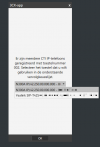
We do RDS service for a variety of customers.Some of them want Outlook integration and / or CRM integration which in this situation is an on-premise (on the RDS) installed CRM application that works with TAPI. So we installed the MultiLine TAPI driver on the RDS, which works (ish) but it requires the 3CX Windows client to be installed. However, the customer wants to use the 3CX Windows Client installed on their local PC for the actual calls. The issue is that in the Windows Softphone, you cannot select WHICH softphone you want to use for calls. In the Chrome Webextension though, multiple Windows Softphones show up and that works perfectly fine.
We would make some customers very happy if the Windows client got that ability as well.
Even better might be if we were able to select the Chrome Extension in the 3CX Windows client, so users can start the webextension whereever they are, and use that from the RDS. Way less cumbersome than installing the 3CX client on their home pc's, especially in these lockdown times...
Would that be a feasible feature request?
[edit]
It now occurs to me that the 3CX software installed on smartphones is also not selectable in the Windows client, EXCEPT when I use a third party SIP softphone, like Zoiper. That shows up and works fine in the Windows client, but the 3CX Smartphone client does not.
We do RDS service for a variety of customers.Some of them want Outlook integration and / or CRM integration which in this situation is an on-premise (on the RDS) installed CRM application that works with TAPI. So we installed the MultiLine TAPI driver on the RDS, which works (ish) but it requires the 3CX Windows client to be installed. However, the customer wants to use the 3CX Windows Client installed on their local PC for the actual calls. The issue is that in the Windows Softphone, you cannot select WHICH softphone you want to use for calls. In the Chrome Webextension though, multiple Windows Softphones show up and that works perfectly fine.
We would make some customers very happy if the Windows client got that ability as well.
Even better might be if we were able to select the Chrome Extension in the 3CX Windows client, so users can start the webextension whereever they are, and use that from the RDS. Way less cumbersome than installing the 3CX client on their home pc's, especially in these lockdown times...
Would that be a feasible feature request?
[edit]
It now occurs to me that the 3CX software installed on smartphones is also not selectable in the Windows client, EXCEPT when I use a third party SIP softphone, like Zoiper. That shows up and works fine in the Windows client, but the 3CX Smartphone client does not.
Last edited: