V16.0.910-PUSH not working on any phones running 3CX app

Status
Not open for further replies.

OpenedBy

SOHO User
Joined
Jul 13, 2019
Messages
40
Reaction score
2
I have a new installation of 3CX running externally on AWS EC2.
Since installing, last week, I have not managed to have PUSH working on any mobile phones, Android or iPhone for external calls.

I will choose two users as an example:
Device Info
-------------------------------------------------------
Phone Model: Samsung 9 Plus
Phone Model: iPhone X (10)

Issue Info
-------------------------------------------------------
Connection: WiFi & 4G
Server: External (AWS EC2)

When we make internal calls PUSH seems to work fine on both Android and iPhones - if the 3CX app is not active an internal call triggers the app and the user can answer.

However, it is not the case for external calls.
I have set up a ring group consisting of 3 mobile phones running the 3CX app and 2 IP phones. When an external call comes in the two IP phones ring but none of the mobiles running the 3CX app ring. But if a user has the 3CX app open and it has focus the user sees the call and can answer it.

Also, if we pick up the call on the IP phone then try and transfer it to a mobile phone running the 3CX app we have the same response - no PUSH and the user can't pick the call up unless they have the 3CX app open with focus. But if we transfer an internal call the PUSH does seem to work - the phone rings when the app is in the background.

I have set up a Google Firebase project and added the server key and sender ID and reprovisioned the 3CX apps on users' phones but there is no change in the behaviour.

I have spent 2 days trying to look into this and have not found a solution. I would really appreciate if someone might be able to point me in a direction to do more troubleshooting please.
 
@JohnS_3CX
  1. I put the test phone to sleep
  2. I used an internal phone on the LAN to call the ring group.
    - All phones in the ring group woke up and rang, including the test phone I had ensured was sleeping
  3. I allowed test phone to sleep again
    - Next external incoming call did not wake mobile phones running the 3CX app and ring them but both ethernet connected phones in the ring group rang; Yealink T46S and Gigaset A510.
 
Ensure the mobile app status is set to "Available"

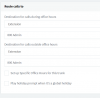
Go to Management console > problematic extension > Forwarding rules > Available Status > tick Accept calls from ring groups

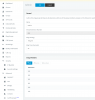
Also on the bottom check please the Exceptions for this extension
 
@JohnS_3CX Ok so yes it's definitely 443

And yes I did the test.
  1. I made sure my phone was asleep.
  2. Placed a call to the ring group from an internal extension. The phone woke up and rang, as did all the other phones with the 3CX app running.
  3. I then waited for an external call to come in. The phone was asleep, it did not ring nor did any of the other phones in the ring group running the 3CX app. The two ethernet connected IP phones in the ring group rang.
 
1. Ensure the mobile app status is set to "Available"

2. Go to Management console > problematic extension > Forwarding rules > Available Status > tick Accept calls from ring groups

3. Also on the bottom check please the Exceptions for this extension

Can you confirm the above please?
 
Ok so far, we know your ports and your PUSH ability are both healthy.

Please go to your trunk or inbound rules, and check your external DID to see exactly which ring group it goes to. Ensure its not going to some other ring group that only contains the desk phones and not the problematic extension.

Now as a final check, change the destination of the DID to go directly to the problematic extension. Ring the DID externally to see if it will work (we are bypassing the ring group now too)
 
Ok so far, we know your ports and your PUSH ability are both healthy.

Please go to your trunk or inbound rules, and check your external DID to see exactly which ring group it goes to. Ensure its not going to some other ring group that only contains the desk phones and not the problematic extension.

Now as a final check, change the destination of the DID to go directly to the problematic extension. Ring the DID externally to see if it will work (we are bypassing the ring group now too)
I have done both those previously. I have only one inbound rule to ring the ring group that my phone is in.
I have previously rung from external with the DID forwarding directly to my phone but it did not ring. At the moment I am the only one in the office, everyone has gone home for the weekend and I don't have another phone to repeat the test. So I suggest on Monday I will try that test again.
 
Ok repeat when you can, and if it still does not ring I can help you look at the system logs to see what the PBX does internally
 
@JohnS_3CX I just did two tests from home because this is bugging me.
I set the inbound rule to ring my extension (901) instead of the ring group (800)
My test phone connected to my home LAN, screen locked
I used my home landline phone to call the office. It rang out and went to my voicemail - which is the rule I have set for no answer. The 3CX app did not wake the mobile phone.

I then disconnected the mobile from the home LAN and so was connecting via LTE - same response, no waking of the phone and the call routed to voicemail on no answer. The call log verifies that the call was routed to my extension rather than the ring group. Maybe if you have time today you could give me a pointer of where to look in the logs.

I really do appreciate you taking time to help me troubleshoot this.
 
Last edited:
Hi @OpenedBy

Ok, keep the call routing as above, straight to EXT 901.
Turn on logging on the PBX to Verbose mode.
Start a capture now
Make a call again from home, to the office DID while phone is locked
Wait until you get sent to voicemail, and then end the call.
End the capture, and on the prompt that will appear, click Generate Support Info.

Host the file somewhere public and PM me with the link.
 
  • Like
Reactions: OpenedBy
The PUSH message does not seem to be the issue here, rather what happens after the PUSH message is sent out. Upon checking, I think this might be a case for 3CX Support so I would recommend to go ahead and open a ticket.
 
Thanks for your help @JohnS_3CX I have paid my USD 75 to open a support ticket.
 
Hello dears,
i'm having the same PUSH issue on iOS. I was having same on android but i configure my 3CX to use Google PUSH and now the androids work fine. However regarding iOS, the mobiles do not receive PUSh when inactive for more than 2,3 hours. Has any fix been found for this as i can see the same threads everywhere and posts since 2years without any solution.
 
Hi @Vinessen I have opened a paid support ticket with 3CX to try and get this resolved. My Android devices are still not receiving PUSH notifications despite configuring my own Google PUSH account. I have been working with support since August 5 to try and get a resolution for us but still haven't found a solution.
 
Hello All,

After some further tests on iOS (iPhoneX):
  1. If i call from 3CX to 3CX, the iPhone rings perfectly via the 3CX app.
  2. if i call from an external number to 3CX number, the iPhone does not ring at all and i get only the missed call notification.
@OpenedBy : I got the android working when using firebase for the Google Push notification.

Best regards,

Vinessen
 
@Vinessen that is the exact same behaviour I am seeing but both on Android and iPhone. Ok it is after hours here but tomorrow I will look at firebase for PUSH. Thanks for that tip.
 
@Vinessen I see that I am already using Firebase so that does not seem to be the issue for me.
 
Status
Not open for further replies.

Forum statistics

Threads
112,149
Messages
590,969
Members
165,171
Latest member
Mahlon