V16 Update 4 Alpha - adds Client in a Chrome Extension

  • Thread starter Thread starter Constantinos Constantinou
  • Start date Start date
Status
Not open for further replies.

Constantinos Constantinou

With Update 4 Alpha, you can now make and receive calls directly from your browser without the need to open the web client as a tab or in fact even have your browser active. Launch calls from the window you are working in, such as Office 365 or your CRM. Rather than taking you to a new tab, it will bring any incoming call alerts to the front of you...
Continue reading the Original Blog Post.
 
Just read through the change log. Wow, that's a lot. Thanks for the hard work. I'm very excited about trying out the new web client/extension.
 
Anyone notice some problem with sip trunk after upgrade to alpha 4?

I noticed that "SIP Contact" sent on responses when an incoming call is intiated, is not following the SIP trunk configuration.

I did a downgrade to test and it worked. Installed alpha 4 again and the problem comes back.
 
Same for my testing, incoming calls are rejected after update.
As per activity log:
Call(C:13): Incoming call rejected, caller is unknown

Invite packet being received looks fine but 3CX is now rejecting it.
Outbound calls are still working fine.
 
@Gioal @Samuel Lay
Which SIP Trunk providers are you using? If it's a supported one I can probably check
 
what happens to chats in the chrome extension? Does the extension pop up?
 
Hello David,

Chat functionality is the same as before. If you click on chat icon on chrome extension it will redirect you to the webclient.
Provided that on your Webclient > Settings > Chat settings you have selected Web Notifications you will see a pop-up on the bottom right corner of your screen when a new chat is received
 
Hello David,

Chat functionality is the same as before. If you click on chat icon on chrome extension it will redirect you to the webclient.
Provided that on your Webclient > Settings > Chat settings you have selected Web Notifications you will see a pop-up on the bottom right corner of your screen when a new chat is received

Shame as those notifications often get missed when using just the web client. Guess will have to resort to getting people on the windows client :(
 
Same for my testing, incoming calls are rejected after update.
As per activity log:
Call(C:13): Incoming call rejected, caller is unknown

Invite packet being received looks fine but 3CX is now rejecting it.
Outbound calls are still working fine.

We faced the same problem. Not a supported trunk, but something changed in 3CX.
 
@Gioal @Samuel Lay
Which SIP Trunk providers are you using? If it's a supported one I can probably check

@NickD_3CX not supported provider. But I have the same provider running on customers and I compared SIP transactions between me (alpha 4) and my customers (16.0.676). What happens is in SIP Trunk > Options > Select which IP to use in 'Contact' (SIP) and 'Connection'(SDP) fields, you can configure what IP address you want to send to provider. This configuration has no effect in alpha 4, the SIP Contact send the internal IP address everytime.
 
@Gioal @Samuel Lay @Mika Olkkonen
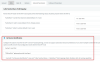
This error usually occurs when 3CX fails to recognize the incoming INVITE based on the "Call Source Identification" settings in the SIP Trunk, e.g.:
13152

For supported provider this should already be setup accordingly and SIP Trunk should be configured as per the guide we have for most supported providers here.

Now for non-supported providers, you may need to do some troubleshooting yourself. The general idea of how it works is outlined here.

For non-supported providers a safe way to go would be:
  • Call Source Identification off
  • Se the "CalledNum" variable to be taken from the "To : User Part"
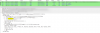
  • Make a Packet Capture of an incoming call, find the incoming INVITE and check the format of the number in the "To" field (see example below) and insert your DIDs in the "DIDs" tab exactly in that format
    13153
  • Sometimes having multiple trunks from the same provider on the same PBX can cause problems.
  • ...or go with a support provider which we can check if something is wrong and help more directly (in most cases)
@NickD_3CX not supported provider. But I have the same provider running on customers and I compared SIP transactions between me (alpha 4) and my customers (16.0.676). What happens is in SIP Trunk > Options > Select which IP to use in 'Contact' (SIP) and 'Connection'(SDP) fields, you can configure what IP address you want to send to provider. This configuration has no effect in alpha 4, the SIP Contact send the internal IP address everytime.
I tried this just now and it seems to be OK. could you try restarting the 3CX services once and tell me if it continues? If it does Generate Support Info and a capture, upload them somewhere and send me a download link via PM.
 
  • Like
Reactions: accentlogic
Hi

If i work on Linux(VMware) the 3CX Browser Extension wont popp up on an incoming call.
On the 3cXPhone instead works.
I mean it popp up over the Linux-Screen, from the Back Windows.

Update: I found out that it popp up if the Webclient is closed.

Windows10 with VMware15.5.1

Bye
Timm
 
@NickD_3CX verified here, the configuration is ok. Tried upgrade again and the host part of contact field is not following the SIP Trunk configuration.
 
verified here, the configuration is ok. Tried upgrade again and the host part of contact field is not following the SIP Trunk configuration.
Try restarting the PBX services and let us know if that works for you.
 
@Mika Olkkonen, @Samuel Lay

Do you have specific IPs set under your trunk settings or are you using the default settings?

13162
 
A few things:

1. My Telnyx trunk was reset to UDP when I had it set to TCP, why? Is this a known change?

2. Could it be possible to add "Call Intercom" for the Statuses page of the Chrome Ext? Maybe also add, at least, the recent calls list. Right now, each button just opens the Webclient.

3. My iOS mobile app (latest) isn't able to update/delete scheduled conference. It does nothing. Same with V16 U3. Is this expected since the newer app is still under development?
 
Still on 15.5. Planning on upgrade this weekend to v16 Windows.
Looking forward to the features and fixes.
 
  • Like
Reactions: JohnS_3CX
Good afternoon,

If there is anyone who is still on v16 update 3? I'd be curious if they can check the yealink template for the T54-W. I noticed calls were not working when calling through our deskphones after the upgrade, I looked at the webUI and I see that PCMA was listed multiple times in the webui for the phones.

I checked the 3cx config (we are using the default provided by 3cx) and noticed it is listed multiple times. I manually logged into a phone and removed the "extra PCMA" lines and phone calls are now working correctly.

I compared the wireshark captures for the "failed" and "completed" call, and can see that the multiple PCMA listings actually caused our provider to reply with a 400 bad request error.

account.1.codec.1.enable = 1
account.1.codec.1.payload_type = PCMU
account.1.codec.1.priority = 1
account.1.codec.1.rtpmap = 0

account.1.codec.2.enable = 1
account.1.codec.2.payload_type = PCMA
account.1.codec.2.priority = 2
account.1.codec.2.rtpmap = 8

account.1.codec.3.enable = 0
account.1.codec.3.payload_type = G723_53
account.1.codec.3.priority =0
account.1.codec.3.rtpmap = 4

account.1.codec.4.enable = 0
account.1.codec.4.payload_type = G723_63
account.1.codec.4.priority = 0
account.1.codec.4.rtpmap = 4

account.1.codec.5.enable = 1
account.1.codec.5.payload_type = PCMA
account.1.codec.5.priority = 3
account.1.codec.5.rtpmap = 8

account.1.codec.6.enable = 1
account.1.codec.6.payload_type = PCMA
account.1.codec.6.priority = 4
account.1.codec.6.rtpmap = 8

if my theory is correct... I think I have an idea on what change caused this bug.
 
Last edited:
Status
Not open for further replies.

Forum statistics

Threads
111,991
Messages
590,167
Members
164,929
Latest member
Cloudstar