v18.0 Update 9 (Build 35) to V20 migration

wys

Platinum Partner
Basic Certified
Joined
Jan 5, 2015
Messages
18
Reaction score
0
Hi All,

We have inherited an on-premises system that's still on v18.0 Update 9 (Build 35), obviously we need to get this up to V20 to restore full functionality.

The client wants to migrate 3CX to AWS as part of this upgrade.

My question is what's the best route to complete this?

The system is not providing the option to update from within 3CX, it states "Your system is up to date. Last checked: Today, 08:08"

When we review the license information, which is valid until April 2026 it gives the following error message "license_error.HttpsErr_InvalidTrustedStorage". I assume this is because we are now beyond September 2025? Can I update the Partner to us whilst in this state?

I read that v18.0 Update 9 (Build 35) backups can be restored directly into V20, is this correct?

Thanks in advance
 
As you mentioned, v18 Update 9 backups can be restored directly to v20.

In your scenario, you can create a backup on v18, ensuring that the System Owner extension has a unique email address assigned, and then proceed with the installation of your v20 PBX on AWS using the same license key.

Please check our 'V20 Upgrade Checklist & FAQ' blog post to help ensure a smooth upgrade process.

The mentioned error 'license_error.HttpsErr_InvalidTrustedStorage' is triggered because the PBX is unable to reach the 3CX Activation servers in the current version 18.
 
Hi Brunol_3CX,

Thanks for the quick reply.

I assume that error message 'license_error.HttpsErr_InvalidTrustedStorage' will be resolved once we're on V20?

What about the Partner update, can this be done safely now or will it fail due to the activation servers being unavailable?

Can we just follow - https://www.3cx.com/docs/pbx-amazon-aws-marketplace/ and restore our v18 backup into the new marketplace instance directly, like a normal restore? Do we just need to ensure we action the items in the V20 Upgrade Checklist, anything else required when coming from the old v18?

Once again, thanks for the reply.
 
I assume that error message 'license_error.HttpsErr_InvalidTrustedStorage' will be resolved once we're on V20?
That is correct, the error is related with activation as V18 can no longer be activated.

Can we just follow - https://www.3cx.com/docs/pbx-amazon-aws-marketplace/ and restore our v18 backup into the new marketplace instance directly, like a normal restore? Do we just need to ensure we action the items in the V20 Upgrade Checklist, anything else required when coming from the old v18?
That is correct, follow the guideline and restore your backup.
Do not forget, before creating the backup file from V18 to check the guideline here.
 
Hi @TheodoraP_3CX,

Thanks for the reply.

In terms of a rollback plan if we have issues with v20 once the restore has completed. Can we just power the v18 vm back on, I assume the as the 3CX v18 can't access the activation servers, it won't care if the license key is updated to v20 or do we still have a grace period of a week before the license updates?

On v18, we have two trunks with the following Advanced options set for
  • Select which IP to use in 'Contact' (SIP) and 'Connection'(SDP) fields
  • Put Public IP in SIP VIA Header
As we're migrating from on-prem to AWS, we will no longer need to use these fields, but my understanding is that these will not be available in v20 to update is that correct?

Many Thanks
 
Of course V18 will not be activated therefore starting old server will not work.
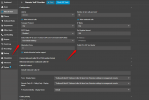
As for the sip trunk those options are available in V20:
1770692847915.png
 
Hi @TheodoraP_3CX

I'm sure this won't be an issue, but I need a rollback plan.

If there is a major issue with our v20 instance, can't we just delete in AWS instance and power on the on-prem v18 instance? Why would this not work?

Thank you for providing the screenshot of the advanced fields, so if we see them in v18, we should see the same fields in v20 following the upgrade? I assume it's based on the SIP trunk template used?
 
Yes this is based on sip trunk template and the screenshot is from the Generic Template.
As soon as you ensured steps as per guideline here for moving to V20 there is no issue.
V18 can no longer be activated meaning that you will not be able to also use the SC of the license.
Also this is now marked as EOL therefore all latest updates are applied only in V20.
 

Latest Posts

Members Online Now

Forum statistics

Threads
111,852
Messages
589,387
Members
164,691
Latest member
Daz1964