V18 and SBC upgrade procedure

Status
Not open for further replies.

AlexanderReichert

Customer
Advanced Certified
Joined
Aug 7, 2018
Messages
144
Reaction score
37
I honestly don't know the answer to this so if someone can point me even into the direction of some documentation I will be happy:
When I update a Linux 3CX V16 install to V18 - will the SBC that are attached to it also be upgraded?
And if not, how should I upgrade those SBCs? Also is squence of that upgrade essential - first PBX then SBC?
thank you
 
I would say update your 3cx server first then your sbc server, as you do not get the option to upgrade the sbc server in ver 16

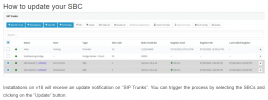
Info on upgrading the sbc https://www.3cx.com/blog/releases/sbc-update-v18/

Note : upgrading the sbc on pi / Debian does not upgrade the operating system. If you want this you need to reinstalll sbc
 
Last edited:
  • Like
Reactions: NickD_3CX
Does that mean the V18 SBC is compatible with the v9 version of debian?
 
Hi @sigmaIT,

Within the installation instructions it mentions:

1630500205117.png
 
Last edited:
If you're on Deb 9, you won't be on v18 meaning you won't see the update for the SBC.
I think @sigmaIT meant Raspbian 9, on the SBC itself.
Several months ago there was a post or two that 3CX was looking into upgrading the Pi OS, to see if that was possible, is that still in progress? Otherwise I think its EOL is next year? (July 2022?)
 
Okay thanks for clearing that up @SteveITS.

All new installations will be using Deb 10, existing Deb 9 upgrading to v18 SBC should work. A light recommendation would be to reinstall the v18 SBC on Deb 10.
 
Hi Vasilis, I'm not sure to well understand, are you saying upgraded SBCs to V18 are now in Debian 10 or always running deb9 ?

if they are always debian 9, does this mean a complete reinstall from scratch is needed to have a V18 debian 10 SBC ?

my customers are not all in small distance location from me so hope there 's no physical SD change to do on the SBCs
 
Hi @aws2p,

For now having the v18 SBC on a Deb 10 SD is not a requirement. If you've got them installed on Deb 9, you should be fine.

The new disk image that we have on our guide now, installs Deb 10 by default.

my customers are not all in small distance location from me so hope there 's no physical SD change to do on the SBCs
While best practice would dictate that you wipe the SD cards and install from scratch, you could find a way to upgrade using the CLI via SSH, but again, not recommended. If it fails (which it could), you'd be on your own there.
 
When that SBC reinstall will become unvoidable ?
is it expectable in future to have an automatic SBC reinstall from 3CX console, one day ?

Actually not ready to do 1300km to change a SD card in a SBC to be able to set it in DEB10 :(
 
Last edited:
Hi @aws2p,

I'm afraid I can't answer either of those questions for now, but as it is Deb 9 it is supported. Those closest to you, you can slowly upgrade in your own time during downtime if you wish. The further out ones, maybe you could mail the SD card to them and talk them through swapping it out but that's at your own discretion.
 
Hello,
Well is there something else to do than starting new sbc from scratch to have a V18-DEB10?

I just hope it will not turn into all SBCs stop working until they are reinstalled in Debian 10

Could it be possible to have direct info displayed in console about SBC OS
 
Hello,
Well is there something else to do than starting new sbc from scratch to have a V18-DEB10?

I just hope it will not turn into all SBCs stop working until they are reinstalled in Debian 10

Could it be possible to have direct info displayed in console about SBC OS
As my colleague said, for the time being, the new version of the SBC is also included in the Deb9 repositories, however the recommended OS from now on is Debian 10 for both SBC and 3CX Server.

To your question "is there something else to do than starting new sbc from scratch to have a V18-DEB10?", this is answered on the official raspberry PI page:
1630571349922.png
Source: https://www.raspberrypi.org/documentation/computers/os.html

If the manufacturer doesn't even recommend it, I'm not sure how good of an idea it is.
You can follow the guide *they* published, but as they state as well, there will be no responsibility if it fails (...and it might...)

Note: where it says you need to replace 'stretch' with 'buster' in some repo files, also do it in files /etc/apt/sources.list.d/3cxpbx.list and /etc/apt/sources.list.d/3cxpbx-testing.list
 
Thanks @NickD_3CX for details, other things, is there a guide on how to proceed when SBC is already in production with deb9 and you need to reinstall in deb10 with same settings.

How to know in 3CX console the release OS running on PI ? do i need to SSH in each and type lsb_release -a to get the answer ?

does it change something for PI 3B+ VS PI4 ?

is the first step is to stop running DEB9 SBC before creating a new SD based on DEB10, then replace it in existing SBC
 
Last edited:
is there a guide on how to proceed when SBC is already in production with deb9 and you need to reinstall in deb10 with same settings.
Yes, the recommended way right now is to re-deploy the installation of the OS for Deb 10.

How to know in 3CX console the release OS running on PI ? do i need to SSH in each and type lsb_release -a to get the answer ?
From the Management Console, you can't. You would need to type that command on the machine itself.

does it change something for PI 3B+ VS PI4 ?
The 3CX installation guide refers to a RPi4, details can be found here:
https://www.3cx.com/docs/installing-pbx-raspberry-pi/

3B+ should continue to work fine, but you should make sure that all new installations are made with RPi4s.

While this is not an issue right now, if at some time in the future, the latest official Raspbian OS stops supporting the hardware of the RPi3B+, you will need to upgrade devices to the recommended hardware at that time. 3CX SBC/Server software will usually always support the latest Raspbian OS release.

is the first step is to stop running DEB9 SBC before creating a new SD based on DEB10, then replace it in existing SBC
You can create/provision a new SBC installation in parallel to having an existing SBC running, but you should avoid running them in parallel. What I would suggest, assuming you want to set it up in your office, then send it to your customers to replace the old.existing device:
  1. Configure the new RPi as per guide.
  2. When prompted, select 3CX SBC
  3. The next 2 steps ask you for some information available in the Management Console (Provisioning URL and Auth Key ID). Don't create a new SBC entry, take this information from the already created entry of the SBC that you are planning to replace.
  4. Finish the installation, make any other changes (set static IP to what the customers existing SBC has?), then power off the device.
  5. Send it to customer wit the note "unplug the old one, plug in the new one and wait 5 minutes". If all is done correctly, all IP Phones should come back online after a few minutes.
 
  • Like
Reactions: AWS2P
Thanks for detailled process,
If in future pbx release you could include SBC model and PI OS version, it could be easier to follow from console and know which are up to date .
Also perhaps a logged info from what it was initially installed ( to have an audit on this and avoid doubts if 3CX guide was followed or not and so 3CX supported config)
 
Status
Not open for further replies.

Latest Posts

Forum statistics

Threads
111,977
Messages
590,097
Members
164,906
Latest member
Nari