Solved V18 - Video Conference - Call-in Participant Issues

Status
Not open for further replies.

jrnoble1983

Customer
Joined
Jun 27, 2020
Messages
9
Reaction score
1
We are experiencing an issue since the version 18 upgrade with call-ins to a conference. Web Browser or App based clients are able to join with no issue, call-in participants get prompted to put in the conference number, when completed they are placed on hold - they show in the conference window - but the have no audio connection to or from the conference, they just hear our on hold music. I tried to remove the DID and re add it, I'm not seeing any obvious options, any help would be appreciated!
 
FYI we are running V18.0 Update 1 (Build 237)
 
We are experiencing an issue since the version 18 upgrade with call-ins to a conference. Web Browser or App based clients are able to join with no issue, call-in participants get prompted to put in the conference number, when completed they are placed on hold - they show in the conference window - but the have no audio connection to or from the conference, they just hear our on hold music. I tried to remove the DID and re add it, I'm not seeing any obvious options, any help would be appreciated!
This behavior is present internal via extension and external via DID
 
This behavior is present internal via extension and external via DID
Further info for trouble shooting -> I have all ports open and have confirmed this with the Firewall Check tool. The WebMeeting Bridge is up, from another post I saw a recommendation from another problem where Web Conference users could hear each other and phone conference users could hear each other but Web Conference and Phone users could not hear eachouther -> it was recommended to change regions -> I tried that as well. No luck,
 
from another post I saw a recommendation from another problem where Web Conference users could hear each other and phone conference users could hear each other but Web Conference and Phone users could not hear eachouther
Is this the issue you are facing too?

What happened here is that for some reason, the WebMeeting MCU server could not contact the 3CX Server, no audio was coming through.
I know you said the Firewall Checker is passing, but are there any other Security Restrictions on your Firewall (e.g. Geo-IP) that could be blocking traffic?
 
Is this the issue you are facing too?

What happened here is that for some reason, the WebMeeting MCU server could not contact the 3CX Server, no audio was coming through.
I know you said the Firewall Checker is passing, but are there any other Security Restrictions on your Firewall (e.g. Geo-IP) that could be blocking traffic?
I'm running a USG pro at my office, I'll check but I'm pretty sure I have that off, I'm not sure if the issue is exactly the same. I saw that post and tried that one solution. When I call into the bridge when i tested yesterday, All I could hear is our on hold music that is selected. I changed some options like don't start meeting until creator has joined. I'll check on the Geo-restriction this morning and do some more testing.
 
  • Like
Reactions: NickD_3CX
you can go in any scheduled meeting (dial in is not supported for the quick meeting rooms)

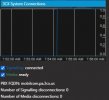
Click on the Gear Icon, Stats and scroll all the way to the end.
It shows if your 3CX is connected to the meeting and if the Media is ready for dial in.
1634729716886.png
 
you can go in any scheduled meeting (dial in is not supported for the quick meeting rooms)

Click on the Gear Icon, Stats and scroll all the way to the end.
It shows if your 3CX is connected to the meeting and if the Media is ready for dial in.
View attachment 25298
Thanks for the response, this issue is with scheduled based meetings not quick meetings.
 
In quick meetings is generally not possible (we are working on it to make it also possible here).

Please check the connection and media state as per the screenshot provided. How does it look on your end?
 
I'm running a USG pro at my office, I'll check but I'm pretty sure I have that off, I'm not sure if the issue is exactly the same. I saw that post and tried that one solution. When I call into the bridge when i tested yesterday, All I could hear is our on hold music that is selected. I changed some options like don't start meeting until creator has joined. I'll check on the Geo-restriction this morning and do some more testing.
Ok, I verified Geo-IP restrictions are not enabled, On a side note -> this is also an issue from with inside my LAN. I tried dialing in from my app from within network as well as my desk phone and get the same result. I may not have explained the issue appropriately, so I will try again....

When scheduling a meeting -> either for the future or using the now option, my call in participants are greeted by the meeting prompt to enter the meeting ID. Once they put in the ID and press # immediately they are presented with our regular on hold music. The web participants can see the call in participant present show up however from the call in perspective they are still on hold. I also tested this with my home test deployment and I am getting the same results on that system. My in office system was a fresh install using the V18 iso and a backup was imported, my home sever was running v16 and upgraded to v18. Both deployments are self hosted on site running inside Windows Hyper-V.
 
In quick meetings is generally not possible (we are working on it to make it also possible here).

Please check the connection and media state as per the screenshot provided. How does it look on your end?
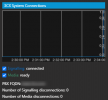
It looks good to me, I have attached what I am seeing.
 

Attachments

  • Capture.JPG
    Capture.JPG
    23 KB · Views: 6
@jrnoble1983
I'll send you a PM shortly with some instructions so we can try and determine what the issue is.
 
@jrnoble1983
I'll send you a PM shortly with some instructions so we can try and determine what the issue is.
Thank you sir! I appreciate it, I responded to that direct message with the requested info :)
 
Status
Not open for further replies.

Forum statistics

Threads
111,973
Messages
590,076
Members
164,895
Latest member
jasonkkrause