V18 - Voicemail transcription in more than one language

Status
Not open for further replies.

saint__

Customer
Advanced Certified
Joined
Dec 29, 2021
Messages
73
Reaction score
16
Greetings,
I see that under settings / voicemail, we can only use one speech language.
Is there any way to have more than two language?

In the USA, almost 20% of the population use Spanish and we see it a lot in healthcare customers.
I was hoping that by going under User / Phone provisioning / options / Phone display language <- this would have been the default language for user phone + voicemail , then this would be used for google speech language.

I dont need it now, but we are answering a healthcare customer request and were trying to place 3cx. if we cant, then we need to go to another vendor.
thank you
 
Unfortunately there's no way currently to use multiple languages. It would also be a problem since 3CX cannot detect the language automatically nor can Google (at least not accurately.)
 
Unfortunately there's no way currently to use multiple languages. It would also be a problem since 3CX cannot detect the language automatically nor can Google (at least not accurately.)
Hence why it would base itself from the phone provisioning language option.
Therefore, caller goes through a menu "for English, press 1, para espanol, oprima el 2"
If caller presses 1, he goes to x100 which has language English in the phone provisioning option
if caller presses 2, he goes to x200 which has language Spanish in the phone provisioning option

When 3CX does speech to text, it would refer to this option, then call the correct google API
 
Hence why it would base itself from the phone provisioning language option.
Therefore, caller goes through a menu "for English, press 1, para espanol, oprima el 2"
If caller presses 1, he goes to x100 which has language English in the phone provisioning option
if caller presses 2, he goes to x200 which has language Spanish in the phone provisioning option

When 3CX does speech to text, it would refer to this option, then call the correct google API
The problem is that this would work for you, but not necessarily everyone. Incoming messages can be in multiple languages for most people and having a dedicated VM to have that set is complex.

Also, the phones have nothing to do with voicemail transcription so getting that from the Phone Provisioning tab would not make sense.
 
I don't know any customer who has one welcome message in one language when they know they will have English and Spanish callers. there is always a menu .

Also, one of the system we use which has remote phones in multiple countries allows us to set the language per phone (so if you are in france, you have French, in Spain, you have Spanish, in the usa, you have English).

3CX allows this in the phone provisioning. I disagree with you, it would make sense.
If you don't speak Spanish, most likely you will not have Spanish voicemail.
You'd have someone in your company who speaks Spanish, to whom the voicemails would be send to, because you would have a menu saying "for English, press 1; for Spanish, press 2".

if you know you have multiple languages calling, you either have bilingual people who are going to answer the phone, or a menu choice so you can direct to the right language people. If you don't do that, maybe you should review you call centers. The one I am working on right now receives about 50K calls / week. Not using 3CX with it, but trust me, we are on the top of it.
 
The reason the transcription language is a global setting in 3CX is because it is also used for Recordings.
While I do accept that for VMails, you *could* set a different recognition language for the VMail box depending on the Extension, you can't do this for Recordings, you can't assume the language based on extension.

Anyhow, you might be in luck!
Yesterday we release a Call Flow Designer (CFD) v18.2.15 update. This introduces the new "Transcribe Audio" component. You can view the change log here and read more about the CFD Update here:
https://www.3cx.com/blog/releases/v18-u2-call-flow-designer/

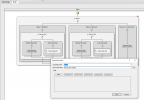
As you can see in the screenshot below from this version of the CFD, you can set the recognition language per component, meaning you could have one detecting English and the other detecting Spanish, send the transcribed text + WAV file via email, all using the CFD.
1644402536235.png
 
@NickD_3CX
Talk about luck!
Totally awesome, thank you :)
 
Status
Not open for further replies.

Forum statistics

Threads
111,974
Messages
590,083
Members
164,901
Latest member
Silent_Guru