Solved V20 - An IP address has been blocked.

Status
Not open for further replies.

nicholas.talisma

SOHO User
Joined
Oct 16, 2023
Messages
19
Reaction score
5
We have frequently encountered an issue where access to the administration interface is compromised specifically for web clients and mobile app users, while IP phones continue to function without interruption. This issue has proven to be recurrent, affecting the accessibility of the interface for these devices.
It is important to note that my access attempt is taking place within the local network, with no attempt at external access. Nevertheless, I am unable to access the administration interface.
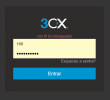
To provide further clarity on the issue, I am attaching a screenshot of the login screen that appears when I try to access the administration interface during these periods of interruption.
 

Attachments

  • Captura de tela 2024-04-16 081558.png
    Captura de tela 2024-04-16 081558.png
    7.9 KB · Views: 14
From internal network you are always allowed to access the webinterface. Are you on the same network as the pbx? Did you tried to reset your password?
 
Yes and unfortunately, this is leaving me quite unsatisfied with the new version.
 
@nicholas.talisma
Hi there.
Is your IP on the PBX blacklist?
If you can access it and you don't see the Administrator console, is because most probably you had a Console restriction and only specific IPs could have access to that. Did you set up this system?
 
With the FQDN requirements for access, I haven't tried using the direct IP of the server yet because every time I enter the IP of this server, it automatically redirects to the FQDN by default.
I believe that some IP in my DHCP network, where the company's cell phones with the app are, must be blocked.But in this case, it was only to prevent access for this user and not in general.
And answering your question, I installed this system and have been maintaining it since v18.
 
We could remove Console restrictions as well as IPs in the blacklist, however for this you will need to open the ticket as well as in the ticket to provide us SSH access to the OS where the Phonesystem is installed as a root user.
 
I was able to gain direct access through the server's local IP address by disabling FQDN creation on my router. After accessing the server, I found the IP address that was blocked and the reason why it was blocked.


The IP 192.168.2.254 has been blacklisted for 86400 sec. (Expires at: 2024/04/16 20:21:35). Reason: Too many failed authentications!

This IP address is not within the IP range I use here, so it is likely an external access attempt to the FQDN. After removing it from the blocklist, access was normalized through the FQDN, and all apps provisioned successfully. However, I would still like to understand why this blocking occurs in general when the user enters the correct login and password in the web interface or is already correctly provisioned.
 
This is the local IP address and it can be the case, where the Web client tries to log in with the wrong password. Or maybe your IP deskphone credentials were updated on the PBX and the phone was not re-provisioned.
Who (which device) is actually using this specific address in your case?
 
My Fanvil X1s desk phones do not stop working when this problem occurs.And this IP range is not used here.
My Range os IPs 10.10.0.0/24 for cable only and dhcp for wifi on 10.9.0.0/23.
 
Is that IP is a gateway address or something?
 
If that is the case, then it can be that you have a NAT issue there, so it shows to the PBX all the requests from that address and not specific local IP
 
Not that I'm aware of, it could only be on the provider's side.I'll contact them to find out.
 
So you host your Phonesystem in the cloud and IP phones are connected via the SBC?
 
No, everything is local, on my physical servers. I'm hosting 3CX on a VM here.
When I mentioned the providers, I was referring to my internet service provider.
I don't know if any of the providers are using this range and any of their gateways
 
No, this are local adresses and no provider will ever use this range. This must be something on your network.
 
192.168.0.0/16 is a private IP range and not publicly routable. While not inconceivable it would be very uncommon for ISPs to use it because no customers could.
 
All of them are local providers in my city.

Provider 1:

  • Connection type: PPPoE
  • IP address: 10.50.88.4
  • Network: 10.10.10.10
Provider 2:

  • Connection type: Fixed IP
  • IP address: 10.0.0.200
  • Network: 10.0.0.0
Provider 3:

  • Connection type: Fixed IP
  • IP address: 192.168.2.99
  • Network: 192.168.2.0
 
So since you have different subnets, it will be best to check your network as I've seen a few times, where NAT issue and all the requests to the PBX were coming from 1 IP and it was a default gateway one.
 
From what I understand, my third provider is the one causing this problem, since their gateway is in the IP range that is causing the problem. And this is also the provider that has the external fixed IP that I use for the FQDN.
 
Do more digging in the network and see the traffic from 192.168.2.254
 
Status
Not open for further replies.

Forum statistics

Threads
111,953
Messages
589,914
Members
164,849
Latest member
BillyAkansel