V20 beta - wondering where to change the callerid name on sip trunks

Status
Not open for further replies.

omarchand

Platinum Partner
Joined
May 13, 2020
Messages
35
Reaction score
21
Hi.

I did upgrade one of our test nodes this morning to V20 Beta, and I notice that the Outbound Parameters on Sip Trunks are missing.
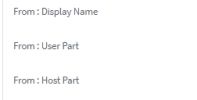
We heavilly use these features in many ways, but above all to change the callerID Name for outbound calls with the From: Display Name parameter.
IE - Same staff but making calls for different business names.

Any idea where in V20 the same field could be change ?

Thanks.
 
You can use the outbound caller ID section within the outbound rules and use prefixes to trigger the outbound rule required to pass the correct caller ID.
 
You can use the outbound caller ID section within the outbound rules and use prefixes to trigger the outbound rule required to pass the correct caller ID.
My understanding of that field is that is only affect the CallerID Number and not the CallerID Name displayed on outbound calls, isn't it ?

Thanks.
 
Actually, the SIP field, in most cases, used by providers is the 'From User Part', which is affected by the outbound caller ID within the outbound rules.
 
Last edited:
Actually, the SIP field, in most cases, is used by providers as the 'From User Part' which is affected by the outbound caller ID within the outbound rules.
Hi Charles. In many cases, here in Canada, providers let the PBX send the CallerID Name (FROM: CallerName) and the callerID number (FROM: UserPart). That was possible with all other versions of 3CX. Unless it is something missed by the development into V20Beta, won't we be able to change any of the Sip fields in the future ?
 
Which VoIP provider are you using? Is it a supported provider with 3cx or one using a Generic template? Additionally, there is no SIp filed CallerName, so I am not sure what you are referring to.

1700752670693.png
 
Which VoIP provider are you using? Is it a supported provider with 3cx or one using a Generic template? Additionally, there is no SIp filed CallerName, so I am not sure what you are referring to.

View attachment 38337
Hi Carles.

From: Display name is the correct field to specify a callerID Name (must be set to custom field, then enter what ever you want into the custom value field).

Doesn't matter if it is used on a Generic Sip Trunk or a supported providers, that option and the whole "Outbound Parameters" tab is missing into V20 (or placed elsewhere in the GUI and I missed it).

2nd use cases: This tab is important as this is where we can change the outgoing display number for "OriginatorCallerID". Required by some of our customers for diverted calls transferred to outgoing numbers that shall includes the primary caller party Display number (From: User Part).

Here's an example of a trunk on which diverted calls to external numbers (hairpin calls) will present the original party calling number :

Originator caller id.png

Thanks.
 
Last edited:
Did anyone figure this out yet? I also cannot get caller ID to work on version 20.
 
Have you seen the provider template tab in the "Advanced", "Templates" section?
There you can make and customize a copy of an existing (sip trunk) provider template.

You can add or change the following parameter in the relevant section of a template:
<field name="ParameterOut" custom="" parameter="FromUserPart">$OriginatorCallerId</field>

This pretty much will do the trick.
 
  • Like
Reactions: omarchand
@StanM
This will do the trick, indeed (until you find yourself in situation where you need to modify SIP headers content on existing SIP trunk configured in 3CX)

@Charles_3CX
I feel that the original question remains unanswered - will there be an option to configure SIP headers content (both inbound / outbound) via new mngmt console in v20 the same way as we were able to do so in v18 and older?

I apologize if I missed the configuration option in our v20 beta test setup.
 
@StanM

These fields in the v20 console appear to be grayed out for me. While I can view the template for the provider, I cannot make changes or make a copy of it.
 
@StanM

These fields in the v20 console appear to be grayed out for me. While I can view the template for the provider, I cannot make changes or make a copy of it.
Now that you mention it, I see the blue buttons are indeed "grayed out".
In that case, I have no idea how to change the settings from the web interface.

It's probably doable from the CLI, but let's not get in to that.

We are still in BETA testing, and there is more to come before the final release I presume.
The best thing to do is wait for now, I think.
 
  • Like
Reactions: LU850
Have you seen the provider template tab in the "Advanced", "Templates" section?
There you can make and customize a copy of an existing (sip trunk) provider template.

You can add or change the following parameter in the relevant section of a template:
<field name="ParameterOut" custom="" parameter="FromUserPart">$OriginatorCallerId</field>

This pretty much will do the trick.
Another way to make these changes will be to export the existing trunk configuration, modify manually the XML file, then import back the XML file as a new trunk, and make the appropriate changes in the outbound route.
 
+1
We use Generic trunk provider settings as our regular provider is not included in the provider list of 3CX. Inbound and outbound parameters control is essential for our business.
 
  • Like
Reactions: Tony Cave
Any update on this, not having control over the Trunks Outbound parameters is a big problem...

+1
 
  • Like
Reactions: omarchand
Another way to make these changes will be to export the existing trunk configuration, modify manually the XML file, then import back the XML file as a new trunk, and make the appropriate changes in the outbound route.
This is the solution for now. You need to export the trunk adjust the settings and import it back into the PBX.
 
@YiannisH_3CX
@Charles_3CX

Hi and thanks for the answers.

Just to set expectations from all of us, is there any plans to have that option back into the V.20 management site ?
I do understand that making manual changes into an XML file could do the work for some time, but that's not a proper/scalable way of dealing with parameters changes. And what about if, in a specific situation, we need to change a SIP Header and we don't know the name of that specific header to put into the XML file? I'm pretty sure that this won't be supported by 3CX help desk for us to open a ticket asking how to change a specific SIP Header on a SIP Trunk ?

Thanks.
 
Last edited:
Just to set expectations from all of us, is there any plans to have that option back into the V.20 management site ?
This is something I am not aware of currently so I really cannot say. Some solutions are being discussed internally but I am not aware what the solution will be.
 
Status
Not open for further replies.

Latest Posts

Forum statistics

Threads
112,285
Messages
591,704
Members
165,406
Latest member
ARKC