v20 Bulk edit extensions (BLF)

Status
Not open for further replies.

noord

Bronze Partner
Basic Certified
Joined
Nov 25, 2015
Messages
244
Reaction score
168
Sorry I am posting in the wrong category.
I have searched the forum and the announcements, but I cannot find anything about this so perhaps I missed something. I hope someone can point me in the right direction.

In v20, it is no longer possible to bulk edit extensions, to disable several peoples voicemails in one go, for example.
But we mostly used this to edit BLFs.
I understand people can edit them themselves and agreed, that is a good option. Perhaps even the best :)
However, most people (users) don't really do that / want to do that etc.

Is it still possible to edit the BLF for several phones at once?
And then perhaps especially on the first roll out?
For example, if we need to set-up 30 phones for a new client, it is nice to have all phones pre-configured with all BLF's of their department.
In v18 this was relatively easy to do, but I do not see how to do this easily in v20.

Thanks!
 
  • Like
Reactions: Svanur
It’s not in v20. Hopefully it’s added back at some point.
 
  • Like
Reactions: MayurPatel
  • Like
Reactions: MayurPatel
That would solve all our ‘issues’ as well!
And perhaps a lot easier to implement for 3CX as well, because there wouldn’t really be an interface necessary and Excel is great at copying cells and things like that.
 
This has to happen before we will be upgrading the majority of our customers from v18 to v20. It is so much simpler to select a group of users and choose "Regenerate" than it is to export the entire list and then have to create several formulas in excel to generate new random passwords. We also have a standard configuration we apply to all users such as accept multiple calls, users have voicemail with attachments, users have AM/PM read in voicemails. All of these changes are simple in v18 with a couple clicks. We typically don't import or export user lists (except very large deployments), we do it all from the management console. This functionality is now essentially crippled.
 
Is this on the roadmap ?
To me it is a fairly significant regression - configure 40+ BLF one by one is REALLY tedious (unless I missed something) ?
 
In this week’s training they mentioned they were working on it. No ETA was given.
 
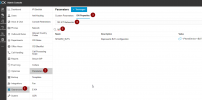
A workaround is to copy the DN Property "SHARED BLFS" from the source user to the other users. To see this tab, you need to set the property "DEVELOPMENT_DNTABLE_EXPOSE" to 1.
 
A workaround is to copy the DN Property "SHARED BLFS" from the source user to the other users. To see this tab, you need to set the property "DEVELOPMENT_DNTABLE_EXPOSE" to 1.
Can you elaborate on How to in v20.

Currently Im rolling our a couple of hotels and I need speed dials for each room for the Front Desk, Room Service and so on.
There is a couple of hundred to do.
 
  • Sad
Reactions: BTComp
A workaround is to copy the DN Property "SHARED BLFS" from the source user to the other users. To see this tab, you need to set the property "DEVELOPMENT_DNTABLE_EXPOSE" to 1.
Works fine, thanks for the suggestion!
 
When creating a user, you can also use the copy extension option to copy over the BLFs from an existing user to the new user.
 
When creating a user, you can also use the copy extension option to copy over the BLFs from an existing user to the new user.
Yes, that is true but is usually after a few days/weeks of usage, that people find out they really would like to change the order of the BLF's.... for ALL users.... :)
 
A workaround is to copy the DN Property "SHARED BLFS" from the source user to the other users. To see this tab, you need to set the property "DEVELOPMENT_DNTABLE_EXPOSE" to 1.
i set the DEVELOPMENT_DNTABLE_EXPOSE to 1 - where can i find the shared BLFs?
 
  • Like
Reactions: zeeb
Status
Not open for further replies.

Forum statistics

Threads
111,952
Messages
589,896
Members
164,845
Latest member
tdzski5