- Joined
- May 7, 2021
- Messages
- 11
- Reaction score
- 0
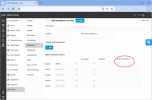
On V18, I am able to set the outbound CID for emergency calls to a different number. V20 will only call out on the main number listed in the SIP Trunk.
On V18, I will have the main number on the SIP trunk and have all the other numbers listed in the DID tab. I don't put CID on the outbound rule. I put the CID information in each user extension. Then when I specify a CID on the emergency numbers page, this CID will override anything else. This is not working with V20. I have tried setting CID on the extensions and the outbound rule and can't get any number to work other than the number listed on the SIP Trunk as the main number. All settings on the SIP provider side are the same between V18 and V20 systems.
The reason I need to be able to do this is because I set up a new PBX for a customer. I set them up with a temporary number from my service provider. I then set up the PBX with all their information and their numbers and then add the temporary number in as an additional DID. I then forward their existing phone lines to the temporary number while I start the porting process. Their numbers are registered with my sip provider so that I can call out using their phone number during the porting process but I can't activate E911 on their number until the porting completes. So, I need to be able to force CID to be the temporary number when dialing 911 so that it's registered with E911.
Thanks in advance for any input.
Andrew
On V18, I will have the main number on the SIP trunk and have all the other numbers listed in the DID tab. I don't put CID on the outbound rule. I put the CID information in each user extension. Then when I specify a CID on the emergency numbers page, this CID will override anything else. This is not working with V20. I have tried setting CID on the extensions and the outbound rule and can't get any number to work other than the number listed on the SIP Trunk as the main number. All settings on the SIP provider side are the same between V18 and V20 systems.
The reason I need to be able to do this is because I set up a new PBX for a customer. I set them up with a temporary number from my service provider. I then set up the PBX with all their information and their numbers and then add the temporary number in as an additional DID. I then forward their existing phone lines to the temporary number while I start the porting process. Their numbers are registered with my sip provider so that I can call out using their phone number during the porting process but I can't activate E911 on their number until the porting completes. So, I need to be able to force CID to be the temporary number when dialing 911 so that it's registered with E911.
Thanks in advance for any input.
Andrew