Solved V20 forward to queue/IVR from user

Status
Not open for further replies.

Ompie00

Customer
Joined
Jun 26, 2019
Messages
11
Reaction score
4
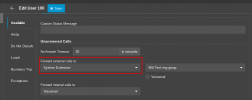
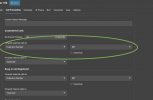
in version v18 it was possible to forward calls when no pickup or busy etc to an queue or ivr. But with the new v20 i dont see the option to do it. The old settings do still work though and are visible as such. but there is no way to change it to an other queue/ivr extension or when forwarded to for example an other extension and change it back to queue/ivr extension.

Are these settings somewhere else with V20?
 

Attachments

  • Scherm­afbeelding 2024-04-22 om 17.44.12.png
    Scherm­afbeelding 2024-04-22 om 17.44.12.png
    70.9 KB · Views: 36
To forward a call to a queue or a ring group, etc, you need to select to forward it to a system extension instead of an extension number, as shown below.

1713803617171.png
 
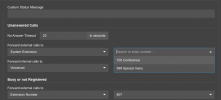
Already tried that. It does not list queues or ivrs. At least not in my system…
 
What version is the PBX on?
 
V20 but also now in the v20 beta 1. 673 the same issue
 
Last edited:
this is the only options i get with system extensions
 

Attachments

  • Scherm­afbeelding 2024-04-22 om 19.34.51.png
    Scherm­afbeelding 2024-04-22 om 19.34.51.png
    41.6 KB · Views: 34
If you search using the extension of one of your queues does it show the result?
Also are there any queues or ring groups on this machine?
 
If you search using the extension of one of your queues does it show the result?
Also are there any queues or ring groups on this machine?
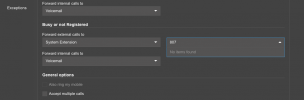
yep checked it and there are several queues and ivrs..
 

Attachments

  • Scherm­afbeelding 2024-04-22 om 20.11.12.png
    Scherm­afbeelding 2024-04-22 om 20.11.12.png
    54.4 KB · Views: 31
  • Scherm­afbeelding 2024-04-22 om 20.10.32.png
    Scherm­afbeelding 2024-04-22 om 20.10.32.png
    41.8 KB · Views: 30
@Ompie00
Is there by any chance that your IVR/Queue is assigned to a specific Department, and you as a user/selected user is not part of those departments as a result can't see them in the dropdown?
 
Admin > System > Options > App Options. Uncheck "Hide system extensions (IVR, Queues, Ring groups) from phonebook".
 
Admin > System > Options > App Options. Uncheck "Hide system extensions (IVR, Queues, Ring groups) from phonebook".
THANKS
that did the job.
 
  • Like
Reactions: Evolute IT
Status
Not open for further replies.

Forum statistics

Threads
111,953
Messages
589,914
Members
164,849
Latest member
BillyAkansel