- Joined
- Aug 24, 2017
- Messages
- 88
- Reaction score
- 29
I am hoping someone can explain to me how the new office hours work, as reading the forums and documentation still has me a bit confused.
Current V18 setup, we have various groups for each department. These are used often to quickly look at a specific department for who is available to transfer calls to. For office hours, while we do have one site with their own special hours all the other departments all operate identically.
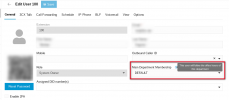
My question, with V20 I have seen people say to either have one default department with everyone then you have global hours, or set it individually for each broken out department. Can I have it both ways?
If I keep the default department and set office hours on it and have all my users as part of that department, as well as their actual department, do the default department office hours apply to them?
Current V18 setup, we have various groups for each department. These are used often to quickly look at a specific department for who is available to transfer calls to. For office hours, while we do have one site with their own special hours all the other departments all operate identically.
My question, with V20 I have seen people say to either have one default department with everyone then you have global hours, or set it individually for each broken out department. Can I have it both ways?
If I keep the default department and set office hours on it and have all my users as part of that department, as well as their actual department, do the default department office hours apply to them?