V20 install using preconfigured setupconfig.xml

Status
Not open for further replies.

Rick-Arcus-IT

Platinum Partner
Advanced Certified
Joined
Jun 25, 2020
Messages
153
Reaction score
64
Hello,

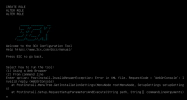
I'm trying to deploy the V20 install using our preconfigured setupconfig.xml but I'm running into an error:
1701168120506.png

Did anybody else also run into this issue? Our XML checks out, XML validator shows no errors.
 
What does "WebOrConsole" do? In v20 there is no console anymore.
 
I have no idea, there is no option in the XML to select weborconsole. The setup asks for an requestcode for the WeborConsole question, but it's not present in the XML. In the setup screen you can choose option 2 voor command line (console), but that takes you to another question where you can choose to upload an XML by URL or restore a backup.

When trying to upload the XML using the webinterface, I get an error saying: Invalid option selected.
1701170270211.png
 
Hi, did you manage to solve the issue? Cheers, Christian
 
Hi, did you manage to solve the issue? Cheers, Christian
Yes, we are using a custom 3CX XML where the requested values get entered automatically using a custom-made install script. The 3CX-provided XML works with V20, but you need to change quite a bit to have it functional.
 
Cool, could you post the changed version here for reference? Cheers!
 
Ours won't work as a usable XML with 3CX just like that. We are using an install script that fills in the requested information automatically in the XML and copies it to the 3CX VM, reboots it, and then it will configure automatically. To make this work we had to change the <answer></answer> options. I would recommend using the provided by 3CX v20 XML to install your PBXs.3CX XML
 
  • Like
Reactions: muc
Status
Not open for further replies.

Forum statistics

Threads
111,973
Messages
590,079
Members
164,899
Latest member
mazet