- Joined
- Nov 25, 2015
- Messages
- 244
- Reaction score
- 168
In olders versions, we could press the 'conference' button on the desktop client / web client / wherever and it would show an interface allowing you to type / select internal phone numbers as well as external ones.
So, if I wanted a conference call with 100, 101 and 102 I hit the 'conference' button, entered those three phone numbers and then I'd have a conference with all these numbers.
I could then (un)mute someone, kick them, etc.
What is the suggested way in v20 to start such an old-fashioned conference call?
It seems I can still call 700**100 from the PWA.
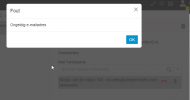
Then, I can click the 'conference' button and it shows me this:
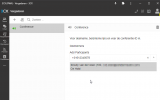
But I cannot enter a(n) (external) number nor select an internal user/team member.
It does show all other team members, but whatever I do, I always get an error 'invalid email address'. Even for my own team members, whom I select from the drop down list
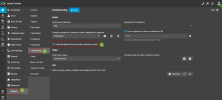
It seems to me this is a bug:
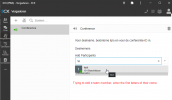
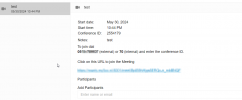
Then you always get this (either when adding an external number or selecting an internal co-worker).
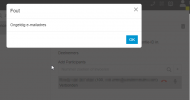
It seems the interface of the normal (old) conference calls and the new webmeetings got mixed up here somehow.
I know conference calls are old, but I would really like to know the best way to still use them.
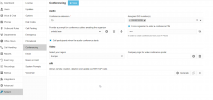
I also tried setting op a web conference but the dial in conferencing options seems gone there as well?
It's all going towards web meetings, I get that, but sometimes it's easier to just use your desk phone without video. Many people still can't use (video) conferencing on their computers properly. They always have issues with the wrong speakers, mic not working, volume wrong etc etc. A traditional desk phone works best then
So, if I wanted a conference call with 100, 101 and 102 I hit the 'conference' button, entered those three phone numbers and then I'd have a conference with all these numbers.
I could then (un)mute someone, kick them, etc.
What is the suggested way in v20 to start such an old-fashioned conference call?
It seems I can still call 700**100 from the PWA.
Then, I can click the 'conference' button and it shows me this:
But I cannot enter a(n) (external) number nor select an internal user/team member.
It does show all other team members, but whatever I do, I always get an error 'invalid email address'. Even for my own team members, whom I select from the drop down list
It seems to me this is a bug:
Then you always get this (either when adding an external number or selecting an internal co-worker).
It seems the interface of the normal (old) conference calls and the new webmeetings got mixed up here somehow.
I know conference calls are old, but I would really like to know the best way to still use them.
I also tried setting op a web conference but the dial in conferencing options seems gone there as well?
It's all going towards web meetings, I get that, but sometimes it's easier to just use your desk phone without video. Many people still can't use (video) conferencing on their computers properly. They always have issues with the wrong speakers, mic not working, volume wrong etc etc. A traditional desk phone works best then