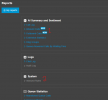
v20 Reporting Permissions - Inbound and Outbound are blank for manager permissions

Michael Cole

Bronze Partner
Basic Certified
Joined
Mar 25, 2018
Messages
22
Reaction score
5
Had to change user with manager permissions to system owner permissions just to see the replacement DID reports. Any idea what is going on with the permissions on reporting?
 
Hello,

Just to clarify, you are referring to the "Inbound Rules" report?

Best,
KS.
 
Correct. I need the Managers permissions to be able to access this report. When they do it's blank. If I make them System Owner, they can see the data.
 
Hello,

If you try as a Manager to set DID to an extension you will see that you can't - that report lists data that is settable by admin lever users and as follows only the same level users can see it (It is listed as a system report for that reason). As the data won't change unless an admin is asked to go and do a change, simply making a policy to generate it every time changes are done and handing it to the relevant Manager should be sufficient.

Best,
KS.
 
But why would I want to set a DID to an extension if I don't want a DID to ring an extension. They all ring IVRs, Ring groups and Queues. We also don't want any manager to modify any DIDs we just want them to be able to review reports as they could in v18. When we upgraded from v18 to v20 the DID reports were not in existence. We waited until v20.6 with the DID reporting. But now we are finding that only system owners can run those reports with actual data. Is this by design or a permissions flaw?
 
This is a design choice based on the new permission model. By all means make a suggestion in Ideas, or get a higher level partner to do it if they agree with the need for this to change, but at this time, this is how it is.
 
Ok. so What I am understanding is: 1. Permissions for Inbound Call Reports and Outbound Call Reports require the user to be a System Owner in order to view data? 2. These updates were made without consulting those who use the reports for their phone system users? 3. These new requirements mean anyone who needs these reports also get to make changes to any other system configurations?

Don't you think this is a little backwards from the v18 design? Love the product but not sure what direction you all are headed...
 
You could try creating a new extension, schedule the report there, and email it to the desired people.
 
I could. I will reach out and see if they would prefer to receive an email as opposed to being able to run the reports on demand with the filters they like to run.
 
Ok. so What I am understanding is: 1. Permissions for Inbound Call Reports and Outbound Call Reports require the user to be a System Owner in order to view data? 2. These updates were made without consulting those who use the reports for their phone system users? 3. These new requirements mean anyone who needs these reports also get to make changes to any other system configurations?

Don't you think this is a little backwards from the v18 design? Love the product but not sure what direction you all are headed...
Are you referring to 1 or 2 in this image (Manager report view) - as in the original post 2 was referenced, while now you are mentioning the reports marked as 1.


1752642750367.png
 

Latest Posts

Forum statistics

Threads
111,962
Messages
589,971
Members
164,864
Latest member
SCarpenter@fifthavenue-la