- Joined
- May 5, 2009
- Messages
- 1,251
- Reaction score
- 698
Not sure. I followed the instructions provided. It wasn’t free but 1/2 the cost of Google.also works with a free OpenAI account?


Not sure. I followed the instructions provided. It wasn’t free but 1/2 the cost of Google.also works with a free OpenAI account?

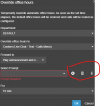
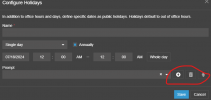
OK, I've just noticed that on my NFR system that I have upgraded to v20/U2/Build 711, which is on hosted, the "Call Processing Script" option is now available under "advanced" in Admin Console.Unfortunately the holiday prompts don't appear to work yet. I was able to upload a prompt, but when the holiday period starts, the calls simply go to the after hours destination. The HOL IVR no longer exists. Maybe this will be fixed in the next update...

 .
.

A lot of these changes are to enhance security, which is a very good thing. I'd prefer this stay as a default, but it might make sense to allow setting a global default for new users.Hello
Can you UNCHECK the 2FA chekbox by default please ?
We definitely use a csv for new installs and avoid custom templates like the plague, so I ask 3CX to add common items to the interface - such as the 12/24 hour clock and screensaver options added years ago. The other two were not about security, but as you said were more about ongoing consistency when various admins add new users and don't remember all the things.Ok for the 2FA for security purpose but the 2 other don't increase security and it's pain in ... for us and for customers to change this eatch time when we create a new user.
When I created a big 3CX configuration in V18, I used a template .CSV whitch I could put "off" the "Send email notification on missed call", why it disapered in V20 ?????
And for BLF, use a template . CSV will be 1000% more efficiency !!!
@nikolascxHi @CallingFromMars Can you resend the screenshot?
I think most phones have a record button functionality that you can press to initiate the recording. If the phone has, we always make sure to provision and make use of it. Thanks for reporting.
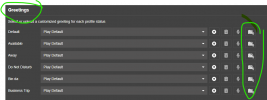
is there any update on this?I believe its already there? If not its very nearly there and will be together with the transcription.....

Part of Security procedures increasesHello
Why can't we set password for users like in V18 and we are obliged to sent an email ?
Why ?????
100 percent yesGreat job, finally, now we only need the ability to define a time range over a period of days and the ability to copy/duplicate holidays across all departments.
Also, further to the question about a recording file link. Is there any thought on having the option for the OpenAI transcription to export to CRM integrations??Its possible that its not in the documentation


Neat. Recording link too? Or just AI stuff?It will be in update 3
Founded in 2005, when VoIP was an emerging technology, 3CX has gone on to establish itself as a global leader in business communications.