v20 upgrade from v18 fails restoring backup with error invalid reply(licensekey)

network17

Gold Partner
Advanced Certified
Joined
May 19, 2014
Messages
2
Reaction score
0
I am trying to restore a v18 backup file to a v20 server but i am getting the error invalid reply (LicenseKey) when i try to use a backup with a license key and also the same error when trying a backup that doesn't have the license key. The actual license with 3cx is registered as a v18 license still so it is out of date and not supported. Am i supposed to upgrade that license first? i don't want to upgrade, get the same error and be stuck without a way to revert to version 18.
 
Is the v20 already licensed?
 
  • Like
Reactions: Evolute IT
Is the v20 already licensed?
no, the license is still a v18. i am trying to understand what causes the error so if i upgrade to a v20 license i won't be stuck with the same error and no way to revert. i at least have a way to keep phones calls operating at the moment.
 
So the v20 install has no license yet? Are you restoring during the install and getting the error?

One does not manually upgrade a license key between versions…once active on v20 it’s not valid for v18.
 
I am trying to restore a v18 backup file to a v20 server but i am getting the error invalid reply (LicenseKey) when i try to use a backup with a license key and also the same error when trying a backup that doesn't have the license key. The actual license with 3cx is registered as a v18 license still so it is out of date and not supported. Am i supposed to upgrade that license first? i don't want to upgrade, get the same error and be stuck without a way to revert to version 18.
Please note that if you plan to use a backup file during the installation process, then this backup must has the license key information, fqdn and system owner. The message refers that the backup does not have this information.

Make sure you are using the LAST ISO file or Windows installer.

Backup file must be version 18 sp9, lower versions cant be used.

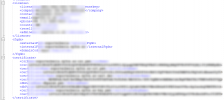
Open the config file .xml that is in the backup and validate if it by chance has these parameters

1755177297527.png


If the backup does not have those parameters, then you will need to get a config file for the license key you are trying to use, install the pbx from scratch with that file, and then you will be able to restore the backup via command line as mentioned in this document.
 

Forum statistics

Threads
111,957
Messages
589,931
Members
164,861
Latest member
LewisJC