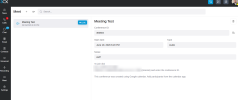
Version 20.0 Update 9 - Dial In Meeting Participants display?

Marco@

Premier Customer
Joined
Jul 2, 2019
Messages
47
Reaction score
11
We've received a fair number of users reporting, asking where they can see participants in their dial in meetings. Participants used to be displayed under the meeting tab. Is this gone, moved else where, display issue?

Thanks!
 
Hi @Marco@ could you please elabore more your question. I tested on my side and it works ok using SP9 version 20.0 Update 9 (Build 995 Release - AI 1.4.48)

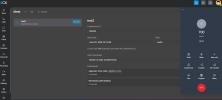
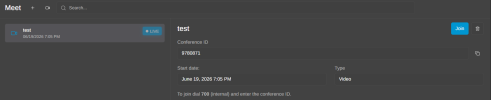
  • Created a webmeeting 1781906955785.png
  • external call received and joined the meeting 1781906984614.png
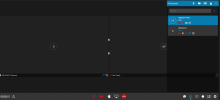
  • Participant list displayed correctly for those that joined by dialing in 1781907009924.png
 
My understanding is the issue is isolated to Voice/Dial In meetings; "CALL" type, not Webmeeting or Webinar.

There is no display of who's dialed in, making folks use other meeting platforms that do have visibility.
1781907822337.png
 
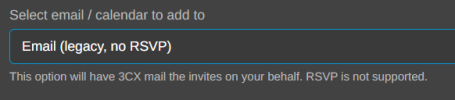
@Marco@ I tested with an audio conference and it works too but try it using the option Email (legacy, no RSVP)

1781961820565.png

1781961268386.png


1781961292407.png

The external participants are listed as you may notice in my screenshots.

It works for audio and webmeeting conferences...
 
Last edited:
  • Like
Reactions: Vali_3CX
Strange, we are on same version(20u9-F995), cannot see participants on dial in meetings.
 
Ahh indeed, it seems to only work using Email / LEGACY. - When using Email/Calendar option of say Google, it does not. Was this by design, ahs this always been that way? I don't recall.
 

Members Online Now

No members online now.

Forum statistics

Threads
111,831
Messages
589,277
Members
164,660
Latest member
RJenkinsROCK