• We do not provide troubleshooting help for unsupported phones. Please try with a supported phone.
  • V20 Update 10 Alpha 2 Learn more

Solved Voicemail Issue with Firmware 58.86.0.20

Status
Not open for further replies.

TechAssist

New User
Joined
Jun 16, 2021
Messages
2
Reaction score
0
We updated our Yealink phones to the latest firmware 58.86.0.20 this week. After the update our users with T56A phones were unable to access their voicemail on there phones. It just responds with invalid pin code. I was able to reset the phones and manually downgrade them to Yealink's firmware 58.85.0.5, which resolved this issue. It worked on all but one of our phones. The last one keeps reapplying 58.86.0.20 when I reprovision the phone. Our T58A phones work fine with the update. Has anyone else ran into this issue or know a better fix?
 
Hi @TechAssist

Please use a phone with 58.86.0.20 for the following test:

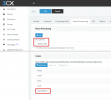
1. Edit that extension and go to provisioning
2. Make sure the T56A is selected from the drop down menu
3. Remove Opus from codecs and press OK to save
4. Now go back to your Phones page, select the phone and click re-provision

1623911369543.png

After the phone re-provisions (confirm this), try to use the voicemail menu again and let me know if it works correctly now that Opus was removed.
 
  • Like
Reactions: Jesse Factoria
Good Afternoon,

It looks like that worked on the main one. I am still waiting confirmation on the other phones. Thank you very much for your assistance.

Thanks
 
You're welcome! Also to be noted, V18 will contain a fix so that Opus will not cause this issue.
 
Status
Not open for further replies.

Forum statistics

Threads
112,147
Messages
590,960
Members
165,167
Latest member
Finatra.us