Voip Innovations, how to setup?

Status
Not open for further replies.

dandenson

SOHO User
Joined
Aug 4, 2009
Messages
404
Reaction score
52
I'm using VI and I've got 5 trunks setup, 1 inbound and 4 outbound.

I have to have a DID in each one so it ends up showing DIDs multiple times throughout the system. Especially the main number because that's my outbound caller id.

How are others setting this up? This appears to work fine, though I have some weird random '487 cancel' issue that going on, don't know if it's related at all.
 
Based on my testing for inbound you can setup 1 trunk and just add the IP's of their other servers to the whitelist (/#/app/system_status/ip_blacklist).
 
I have just 1 inbound, the others are outbound.
 
You need to clarify a few things.
Are you using one trunk group, to which you have been assigned 4 DID numbers, and, you use the same trunk group for outbound? Limitations (number of simultaneous calls), on a trunk group are placed by a provider (what you pay for), or by you, in the 3CX settings.

I have to have a DID in each one so it ends up showing DIDs multiple times throughout the system. Especially the main number because that's my outbound caller i

I'm not really sure what you mean by this.

This appears to work fine, though I have some weird random '487 cancel' issue that going on, don't know if it's related at all.

So, if it works fine, what is the problem? The "487 Cancel issue"?

If so, then more information is needed.
 
Define 'trunk group'. I'm on 15.5, I don't see any configuration for trunk groups...

I have 4 trunks like this:

VI-IN-1 64.136.173.31 Provider 10 <main did>
VI-OUT-1 64.136.174.30 Provider 10 <main did>
VI-OUT-2 64.136.173.22 Provider 10 <main did>
VI-OUT-3 209.166.128.200 Provider 10 <main did>
VI-OUT-4 192.240.151.100 Provider 10 <main did>


VI-IN-1 also has some other DIDs

Because there are 5 trunks with the main did, that did shows up multiple times in all related menus.

I have VI-IN-1 set to go to a ring group, that ring group shows the main did 2 times in the DID section.

My concern is that the duplication is a potential issue. I'm noticing some oddities in system behavior, specifically the instances where calls go directly to voicemail, and I'm trying to trace down everything that looks weird on the system.
 
A trunk group would be an individual registration (unique user & password) to a an IP or URL of a VoIP providers server or proxy.
 
A trunk group would be an individual registration (unique user & password) to a an IP or URL of a VoIP providers server or proxy.

I assume he is using "SIP Trunks" and since its all one provider his "main trunk number is the same- (This even can be on a wholesale level with multiple providers). The issue is 3cx auto adds "main Trunk number" to the available DID list even if its there already.

I would think that Main trunk number should be a value for just "outbound ANI" and all DID's should be in the DID tab.
 
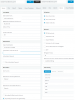
this is my voip innovations setup.voip-ina-setup.png
 
With 160 simultaneous calls - there shouldn't be a need for individual setup - they all come and go using the same registration... unless something is not clear to me.
Each "phone number" is just listed as an Inbound Rule.

Now, if you need to be able to make an outbound call, and decide which phone number to use - that is another story - and your setup is the way to do it - as 3cx does not currently allow you to select an outbound caller id based on outbound rule.

You could set different outbound id's per extension if that helps - but most folks are trying to get a pool of outbound callers having different caller id - based on the "company" they are making the call for.
 
With 160 simultaneous calls - there shouldn't be a need for individual setup - they all come and go using the same registration... unless something is not clear to me.
Each "phone number" is just listed as an Inbound Rule.

Now, if you need to be able to make an outbound call, and decide which phone number to use - that is another story - and your setup is the way to do it - as 3cx does not currently allow you to select an outbound caller id based on outbound rule.

You could set different outbound id's per extension if that helps - but most folks are trying to get a pool of outbound callers having different caller id - based on the "company" they are making the call for.
I am not the op, just replying with my setup. but yes the extension picks the out going caller id and the in coming are all inbound rules.
 
Status
Not open for further replies.

Latest Posts

Forum statistics

Threads
111,894
Messages
589,601
Members
164,763
Latest member
Techmansam