Solved Wallpaper disappears after provisioning (Snom D765)

Status
Not open for further replies.

denko2k

Customer
Joined
Mar 20, 2018
Messages
63
Reaction score
6
Setup
PBX: 3CX 16.0.493
Phone: Snom D765, Firmware 10.1.46.16, Snom Template Version: 93616 (2019-12-18 14:30:00)
Template not customised

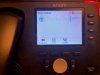
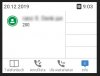
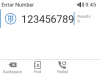
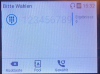
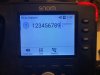
With that new Snom-Firmware (or template) the background image with the 3CX Logo disappears after re-provisioning. The new background is quite bright, so the digits can not be seen well.
After restarting the phone, the dark background (with the 3CX logo) appears.
After re-provisioning (every 24 hours) the bright background appears.

This might be a bug in the template or firmware.

Please help.

 

Attachments

  • before-provisioning.jpg
    before-provisioning.jpg
    77.3 KB · Views: 21
  • after-provisioning.jpg
    after-provisioning.jpg
    68.4 KB · Views: 22
Hi @denko2k

Sorry about the logo, currently this is removed from provisioning until Snom gets back to us to resolve a couple of things with the interface, they will send us more updates soon.

However, if you have the Enterprise edition of 3CX you can force any background you want to be included with auto provisioning.
 
Hi @JohnS_3CX
Thank you!
We use the Pro-Version. The logo is fine. The bright display is annoying.
But thanks for the info. We will wait for the update.
 
Hi @denko2k

If you don't mind, please factory reset and reprovision the phone, leave all the default settings.

Then log into the phone GUI via its IP and once you enter the password and the menus appear change the URL to http://x.x.x.x/screen.bmp to capture a screen from it and post the screen here please.
 
Hi @denko2k
However, if you have the Enterprise edition of 3CX you can force any background you want to be included with auto provisioning.

Hi JohnS,

wie have the Enterprise edition and the same behavior.

How can we force the background?
 
@JohnS_3CX
sure. The blured area is the name of the extension
 

Attachments

  • Unbenannt-1.jpg
    Unbenannt-1.jpg
    30.2 KB · Views: 17
Ok so comparing that to mine, it seems we have the same color scheme
13590

Your photo from before however seemed very washed out, so I'm wondering whether the actual LCD screen of the phone is the issue here.
13591

Or maybe the user had manually adjusted the scheme from the phone menus? The numbers seemed like a very light gray
 
@JohnS_3CX
The color scheme changed after the reset. The digits are now easy to read.
Solution: Reset the phone.
 

Attachments

  • after-reset.jpg
    after-reset.jpg
    66.1 KB · Views: 14
Glad to hear it was resolved :)
 
Status
Not open for further replies.

Forum statistics

Threads
111,935
Messages
589,823
Members
164,815
Latest member
natedog