WAN Block—After 2nd account registration over SBC. Yealink W73H Wireless base and phones

Fanie de Jongh

SMB User
Joined
Sep 16, 2025
Messages
23
Reaction score
1
WAN Block—After 2nd account registration over SBC. Yealink W73H Wireless base and phones

After loading a second wireless phone account on the Yealink W73H, my SBC failed and is now stuck on a WAN block.

We are using the SMB packages, so I don't have permission to whitelist an IP. How do I go about fixing this?

Regards,
Fanie
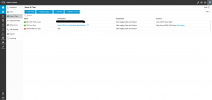
 

Attachments

  • Screenshot 2025-09-16 082856.png
    Screenshot 2025-09-16 082856.png
    59.3 KB · Views: 6
Hello,

You must have a device that is trying to connect directly to the PBX and caused the IP to be blacklisted.

Please check which phone it was and reset it - then we can look at whitelisting your IP again - if we whitelist now it would only get blocked again.

Best,
KS.
 
Thanks, I will look at it now so it points through the Proxy
 
i have changed all settings
 
  • Like
Reactions: KyriacosS_3CX
We are looking at clearing the IP block and I'll let you know.
 
Hello,

The IP should be clear - the first step is to make sure the SBC is setup and connects properly, and shows green on the dashboard. If this doesn't happen you might have some local firewall blocking it, and nothing else will work until that's sorted.

Once the SBC is up properly you can add your phones and always make sure you are choosing the SBC as the connection option.
 
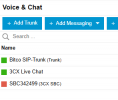
SBC is still offline; should I delete and re-add it?
 

Attachments

  • Screenshot 2025-09-16 114655.png
    Screenshot 2025-09-16 114655.png
    8.7 KB · Views: 5
It might be best, as perhaps something was saved wrong when it first got installed.
 
let me check and revert back
 
What type of SBC are you installing?
 
new SBC Still shows offline
 
What type of SBC is it? Are you following the installation steps given?
 
Yes i followed the correct settings. Everything worked before I accidentally forgot to have the 2nd ext point to the proxy
 
SBC doesn't even resolve outside to obtain the pc or public IP
 

Attachments

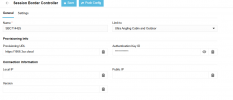
  • Screenshot 2025-09-16 131553.png
    Screenshot 2025-09-16 131553.png
    20.4 KB · Views: 5
Please try reinstalling the 3CX SBC, as it is currently not connected. Also, check the DNS settings on the Windows machine (set the primary to 8.8.8.8). If the issue persists when connecting the SBC to the 3CX system, reboot the machine. Ensure the Windows SBC machine is dedicated to the 3CX SBC and has only one network interface card.
 
I have changed all settings as required, and it is still not coming online. I have reinstalled and rebooted everything. The base station is on static IP as well, and the SBC stays offline
 
when phoning to the number i go straight to voicemail...event logs don't record anything. No more WAN block though
 
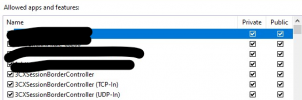
You must have something in your firewall blocking the SBC from connecting. Please check that - the SBC installation guide lists what you need to open.
 
Not blocking anything
 

Attachments

  • Screenshot 2025-09-17 104818.png
    Screenshot 2025-09-17 104818.png
    55 KB · Views: 3

Members Online Now

Forum statistics

Threads
111,831
Messages
589,277
Members
164,660
Latest member
RJenkinsROCK