Solved Warning You are using Unsupported phones or phones with custom templates which may cause issues.

Status
Not open for further replies.

spritz

Joined
Aug 26, 2015
Messages
8
Reaction score
0
i go to dashboard
there is a red circle with an exclamation point
i click on it and a popup about the warning appears.
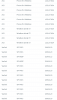
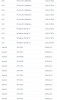
1-3cx--2018_05_08_09_46_23_3CX_Phone_System_Management_Console.png 2-3cx --2018_05_08_09_45_39_3CX_Phone_System_Management_Console.png
my 3cx server is up to date. v15.5

i seen a previous thread on this warning...they said to delete custom templates. my server does NOT have custom templates.

all the phone firmware is updated.

my phones are yealink sip-t46g, yealink cp860, and yealink sip-w52p.

any ideas how to fix this warning?

thanks,
jason
 
Hello @spritz

In the phones tab of the management console are any phones in red? Also are you using windows or linux?
 
no nothing in red on the phones tab
using linux
 
What does it show under the Model column of the Phones page?
 
Are they updated?
 
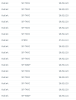
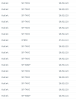
3-3cx--2018_05_08_12_07_41_.png 4-3cx--2018_05_08_12_08_08_3CX_Phone_System_Management_Console.png
yes they are updated.
 
either phone for windows, sip-t46g, cp860 or sip-w52p
 
Interesting..
Clear browser cache. (Just as a precaution ok. to ensure we dont do work for nothing when the problem is some stale cache)

Zip up the templates and send them to me. We will check and rule out any custom templates. OR delete all your templates and re-download them again. Like this you get the latest templates online. that will definitely rule out any custom templates., Restart mc service. If the issue persists we have to look at the firmwares.

If all options fail, then we can offer to check this out.
 
Interesting..
Clear browser cache. (Just as a precaution ok. to ensure we dont do work for nothing when the problem is some stale cache)

Zip up the templates and send them to me. We will check and rule out any custom templates. OR delete all your templates and re-download them again. Like this you get the latest templates online. that will definitely rule out any custom templates., Restart mc service. If the issue persists we have to look at the firmwares.

If all options fail, then we can offer to check this out.

here is phone template zip file
 

Attachments

Interesting..
Clear browser cache. (Just as a precaution ok. to ensure we dont do work for nothing when the problem is some stale cache)

Zip up the templates and send them to me. We will check and rule out any custom templates. OR delete all your templates and re-download them again. Like this you get the latest templates online. that will definitely rule out any custom templates., Restart mc service. If the issue persists we have to look at the firmwares.

If all options fail, then we can offer to check this out.

i renamed phones folder to phone.old
i downloaded the templates again
restared the mc service
still red circle with ! on dashboard-->phones

i looked at the firmware directories
here is what i found:
1--fw--2018_05_08_15_48_53_SKILLS_JUMPBOX_tech_TeamViewer.png 2--fw--2018_05_08_15_49_37_SKILLS_JUMPBOX_tech_TeamViewer.png 3--fw--2018_05_08_15_50_26_SKILLS_JUMPBOX_tech_TeamViewer.png
 
i fixed it

in customtemplates folder, i renamed phones to phones.old (/var/lib/3cxpbx/Instance1/Data/Http/Interface/provisioning/xxxxxxxx/CustomTemplates)
restared the mc service
 
The templates were ok. Delete any .old folders you have otherwise you stay carrying the dirt with you with each backup and restore you make.

You should have the following:
root@honey:/var/lib/3cxpbx/Instance1/Data/Http/Templates/phones
In this location you need to empty its contents and put the templates back in.
Restart mc and you should be ok.
 
Hi spritz.
I think you did something which is fully not supported by 3CX. I think you manually copied the default templates to the "..../xxxxxxxx/CustomTemplates/phones/" folder and left the same template file ("yealinkT4x.ph.xml") name and/or left phone model names (inside the template) equal to the default names ("<model ua="SIP-T46G">Yealink T46</model>").
Once I did the same mistake and had similar problems.
To create the custom template you need to use the 3CX Phone System management console (Settings->Templates page). They have a guide about this:
https://www.3cx.com/docs/custom-ip-phone-templates/

When I had the same issue I did the following:
a) went to "..../xxxxxxxx/CustomTemplates/phones/" and deleted all templates from there
b) restarted all services
c) went to Settings->Templates page and created the custom templates from there.
and "Voi là" all my issues were fixed.
 
  • Like
Reactions: YiannisH_3CX
Glad to see the issue has been resolved. As mentioned do not leave the .old folders in the system. Just remove any custom templates from the custom template folder and you should be ok
 
Status
Not open for further replies.

Latest Posts

Forum statistics

Threads
111,885
Messages
589,545
Members
164,744
Latest member
johnblackwood1