


- Joined
- Jun 13, 2017
- Messages
- 423
- Reaction score
- 253
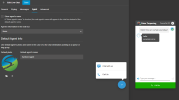
Under Live Chat settings > Agent, we've unchecked "Show agent's name and Agent's information in the chat box is set to None. We've added a default phone and agent name.
However, whenever the agent takes ownership, their name and avatar is shown. Can this be corrected?
However, whenever the agent takes ownership, their name and avatar is shown. Can this be corrected?


