Solved Webclient invitation link option is greyed out.

Status
Not open for further replies.

Eric Roberge

Forum User
Joined
Feb 15, 2017
Messages
17
Reaction score
4
Hello,

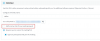
I was trying the Webclient video conference and i don't know why, the "invite link" is now greyed out...
Printscreen : http://prntscr.com/sfloo1

How can i reactivate this option ?

Thanks for your help.

 

Attachments

  • invitation link greyed out.jpg
    invitation link greyed out.jpg
    11.7 KB · Views: 3
What version of windows client and 3CX are you on?
 
We are running the version 16.0.612
 
The Webclient "invitation link" is greyed out only for 1 user...
 
What browser are you using?
 
Chrome Version 81.0.4044.138 (Build officiel) (64 bits)
 
Under 3CX settings, just to confirm, you have extension information, numbers, settings, etc. filled out?
 
Hello,

I was trying the Webclient video conference and i don't know why, the "invite link" is now greyed out...
Printscreen : http://prntscr.com/sfloo1

How can i reactivate this option ?

Thanks for your help.
Go to extention config, click2talk/click2meet, an select: "Requires you to connect to meeting first"
 
  • Like
Reactions: Eric Roberge
The quick meeting copy button will be disabled if your setting in the extension is set to
1589355844717.png
This will defacto change the operation of your personal meeting room to an inbound driven meeting room for customers who seak to contact you. You may public the link on your website and if users joing into your room, you will be notified that someone is in your room. As you do not wish to mix users up, each user joingin this link will be "placed" in thier own room. Hense you have "no own" meeting room anymore = no quick meeting link anymore.
 
  • Like
Reactions: Eric Roberge
Status
Not open for further replies.

Forum statistics

Threads
111,973
Messages
590,076
Members
164,895
Latest member
jasonkkrause