webmeeting page not working

Status
Not open for further replies.

M Salah

Joined
Aug 9, 2018
Messages
4
Reaction score
0
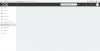
I'm new to 3CX, I'm trying to create a new meeting through web client page there is web meeting on the left when I click on it nothing appears please see attachment picture
 

Attachments

  • 3cx.jpg
    3cx.jpg
    56.4 KB · Views: 32
Within the Option tab for the extension have you ticked 'Allow user to organize 3CX Webmeeting Video Conferences'

Also check you have configured the settings for wbemeetings - Settings -> Conference Settings. Check your preferred MCU

Make sure port 443 / 5001 is open on the firewall - https://www.3cx.com/docs/manual/firewall-router-configuration/
 
Last edited:
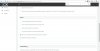
Yes sir
please see
 

Attachments

  • 3cx-2.jpg
    3cx-2.jpg
    112.2 KB · Views: 29
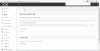
everything is ok except this option Select Your Preferred MCU Server (Select closest)
I don't know why is not giving me an option
 

Attachments

  • 3cx-3.jpg
    3cx-3.jpg
    131.3 KB · Views: 21
Can you try another browser
 
Make sure your e-mail, name and last name are entered correctly. If some of these are missing, Webmeeting won't work.
 
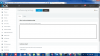
still can't see the Options with internet explorer
upload_2018-8-9_12-57-33.png
 
Our webmeeting page isn't working this morning either. I'm getting "portal not found" error. We've not changed any settings and it was working fine yesterday. I cleared cache and tried Firefox and chrome. Both give the same error:
upload_2018-8-9_11-8-5.png
 
still can't see the Options with internet explorer
View attachment 8276

It looks like your PBX is possibly misconfigured. Your certificate looks ok, but i'm not seeing any traffic arriving from your FQDN to webmeeting.3cx.net. Make sure your port 5001 or 443 are open and allow bidirectional traffic to and from this FQDN.

If this doesn't work, contact 3CX Support.


Our webmeeting page isn't working this morning either. I'm getting "portal not found" error. We've not changed any settings and it was working fine yesterday. I cleared cache and tried Firefox and chrome. Both give the same error:
View attachment 8277

The error indicates that your WebMeeting FQDN no longer exists. This indicates that you likely released your PBX FQDN which will also delete it's WebMeeting FQDN counterpart. I'd suggest you contact 3CX Support.
 
Status
Not open for further replies.

Latest Posts

Forum statistics

Threads
111,891
Messages
589,590
Members
164,757
Latest member
shakk