Weird Display Issue Today with 3CX and D717 Phones

Status
Not open for further replies.

RHopkinson

Bronze Partner
Basic Certified
Joined
Mar 31, 2019
Messages
84
Reaction score
15
Had 4 clients call us today, each with Snom D717 phones and 3CX, saying that they couldn't read the phone displays anymore. After closer inspection, the background color was changed on all D717 phones (none of the other D7xx models) to a darker color, very close to the text color. The 3CX versions are a mix of 16.0.6.641 and 16.0.5.622 and no firmware on any of the phones had been recently upgraded. Upgrading phones to the latest FW version did not correct the issue. The fix was to log into the phone GUI and change the background color to 255 255 255 (with Alpha set to 255, as well). I called Snom Support, and they hadn't heard of this, and of course, pointed to 3CX. Anyone have any idea what could have caused this?

Thanks,
Russ
 
i've got my D785 display turn into dark blue (nice on this model) so I suppose something has been changed in template and not in firmware .
I have no D717, only D710 D715 720 on these models nothing seems to have been changed
 
All of our D717 and D735 started showing the dark background with the 3CX logo after installing update 6. I am assuming the background control got fixed.

I can't remember but think the background was dark and text was white.
 
Yeah, I've just provisioned new D735 phones on a new 3CX platform running 16.0.6.641. They all have this obnoxious 3CX opaque logo that takes up most of the screen real estate and hides the extension info. So annoying!

Edit: I've now determined that changing the background settings to the 255 255 255 255 value reverts back when the phone reboots. There must be some fix for this!
 
Last edited:
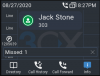
It is odd that it's hiding that info. Mine all look like this:
snom.PNG
 
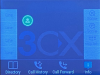
That would be tolerable. This is how my phones look:
1598580060185.png
 
Are you using the default template? I didn't see it mentioned so I figured I would ask.

Our setup is using the default template and firmware version 10.1.54.16
 
We are using the default template. After upgrading a phone to 10.1.54.16, the display looks like the one you posted. Thanks, man. I was about to lose my $#!+
 
I'm glad that got it for you. I can only imagine how many people were calling in about that.
 
Pretty sure that we're going to get a LOAD of complaints about this...

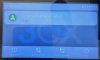
The SNOM D785 background has gone from a very easy to read white BG with black text (and a 3CX logo in the corner) to a really hard-to-read (even for me with 20:20 vision) collection of greys with white text:
IMG_20200828_132438.jpg
 
Just received a call from a client that I "fixed" yesterday. His D717 phones reverted, even with the latest (10.1.54.16) firmware in place. Honestly, 3CX, we don't have the time to jump into each client's network daily, and change the settings on their individual phones!
 
Maybe 3CX knows of something. All of our Snom phones kept the look of the screenshot I posted earlier.
 
Hi,

Since you PBX is updated, ensure that the phones firmware is also updated (10.1.54.16).

Once this is done, go to your Phones section and select your Snom phones, the press the Reprovision button.

Note: This will work with our latest default templates, older custom templates may not work.
 
Status
Not open for further replies.

Latest Posts

Forum statistics

Threads
111,962
Messages
589,971
Members
164,864
Latest member
SCarpenter@fifthavenue-la