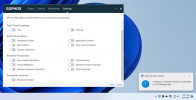
Welp...that sucks...

Status
Not open for further replies.

ElementalWindX

Bronze Partner
Advanced Certified
Joined
Oct 24, 2018
Messages
367
Reaction score
40
All other updates of the 3cx app went fine, but this newest version tho....
 

Attachments

  • awefawefawef.png
    awefawefawef.png
    284 KB · Views: 47
All other updates of the 3cx app went fine, but this newest version tho....
That "malicious behavior" is maybe due to how the Electron app interact with the OS for hotkeys operations? Since it kinda has to "keylog".

My Bitdefender didn't block it, neither did ESET.
 
Hi @ElementalWindX !

Could you please tell us exactly which version of Sophos AV you are using? Also, when Sophos finds this as a threat, does it have some kind of option to print a report to send to us? This could help us more precisely find what it doesn't like.
 
Hi @ElementalWindX !

Could you please tell us exactly which version of Sophos AV you are using? Also, when Sophos finds this as a threat, does it have some kind of option to print a report to send to us? This could help us more precisely find what it doesn't like.
I also experienced a "lockdown" detection while updating the app to the current beta version today. I just had to add an exception for this detection though.

Sophos article regarding lockdown events: https://docs.sophos.com/central/Cus...tomer/concepts/ApplicationLockdownAdvice.html (not too useful I guess)

Sophos Products: Core Agent 2.18.2, Endpoint Advanced 10.9.10.3, Intercept X 2.0.20

I will send you some further details via PM.
 
Detection typeLockdown

Application

PathC:\Users\Seth\AppData\Local\Programs\3CXDesktopApp\app-18.5.25\3CXDesktopApp.exe

Version18.5.25

PID13736

Detection ID b6670e7dca7d8f57bca47339841edff52426def669c9f9e397b72488c121b803


That's the only log it gives us.

I've had everything disabled on the av and it still blocks it. Even setup exclusions too. No luck.

*edit* adding the exact exclusion that dialog I got the log from, fixed it.
 
After looking into this it looks like whenever an AV software detects Desktop App as malicious activity, the following files will need to be excluded from the scanning:
Code:
C:\Users\*\AppData\Local\Programs\3CXDesktopApp\app\3CXDesktopApp.exe
C:\Users\*\AppData\Local\Programs\3CXDesktopApp\Update.exe

Other vendors have also reported very similar issues and instruct users to exclude file, like MS Teams, which from the looks of it is also Electron and also uses the same update method.
 
hmm And what is the best way? I did like ElementalWindX and excluded the ID. That is what Sophos toldm e to do. Guessing to Sophos AV this is a slightly nicer solution than not scanning the files at all isnt it?
 
hmm And what is the best way? I did like ElementalWindX and excluded the ID. That is what Sophos toldm e to do. Guessing to Sophos AV this is a slightly nicer solution than not scanning the files at all isnt it?
You just need to exclude these files for whenever they run. I don't exactly know what the "ID" detects, but because the Update process is dynamic, meaning that even the "Update.exe" file might be updated/changed, the "ID" may change.
The safe way so far we have found to is to exclude files, not "IDs".
 
I just updated to 18.5.26 successfully without any AV exceptions, Update.exe got updated, too I think.
 
Status
Not open for further replies.

Forum statistics

Threads
111,976
Messages
590,089
Members
164,904
Latest member
gdstratton