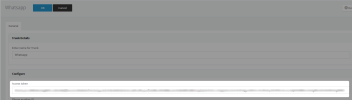
WhatsApp option missing from 3CX running version 18.0 Update 5 (Build 418)

Status
Not open for further replies.

eminn

Trainee Partner
Basic Certified
Joined
Oct 20, 2022
Messages
11
Reaction score
0
Please Help.
 

Attachments

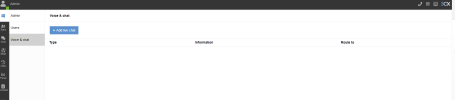
  • Screenshot 2022-10-20 144607.png
    Screenshot 2022-10-20 144607.png
    18.9 KB · Views: 21
I had it
 

Attachments

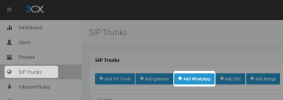
  • Screenshot 2022-10-20 145744.png
    Screenshot 2022-10-20 145744.png
    30.1 KB · Views: 17
Correct, but it will not be seen in the WebClient/desktop app. Only visible in the management console with dedicated machines. It is only for the start-up version, where the WhatsApp configuration will be under the office settings of a manager's extension within the webclient.
 
Last edited:
how can i fix it?
 
For dedicated machines, it's only available within the management console.
 
I didn't understand , I do all the steps . it was still the same
 
Allow me to try and clarify this for you.

  • For dedicated instances where the system's management is through the management console, the WhatsApp settings are only available within the management console.
  • In the Start-Up version, where the system's management is through the Webclient of the manager's extension, it will be visible under the Voice & Chat settings.
Your instance is a dedicated one, so the WhatsApp integration is only available within the management console and not from the webclient.

I hope this clarifies this for you.
 
ok then how do i complete this?
 
What is it you would like to accomplish?
 
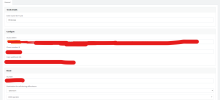
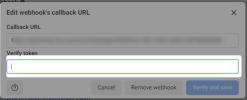
step 5 gives this problem.
 
This.
 

Attachments

  • Screenshot 2022-10-20 162214.png
    Screenshot 2022-10-20 162214.png
    51.1 KB · Views: 16
Here you will copy the Access token you pasted in from the previous step and paste it into the the verify token section

1666269135393.png


1666269237661.png
 
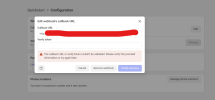
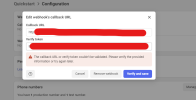
Same
 

Attachments

  • Screenshot 2022-10-20 164606.png
    Screenshot 2022-10-20 164606.png
    42.5 KB · Views: 7
Is the PBX management console reachable from the outside world? Have you configured the port forwarding on the firewall to allow HTTPS inbound?
 
Yes. Port 5001 is open.
 
In this case, I can only suggest opening a ticket with us at technical support to check.
 
Hello;

Something I noticed here, your address starts with http:// it has to be https://. Could he have overlooked it?
 
Status
Not open for further replies.