


- Joined
- Dec 4, 2014
- Messages
- 4
- Reaction score
- 0
I'm trying to access https://{mydomain}.3cx.us:5001/webclient/#/people from a new virtual machine and therefore a new IP address. The new virtual machine uses a static public IP address so I added that to the IP Blacklist with the "Allow" Action. I restarted my 3CX instance, but I'm still getting this error:
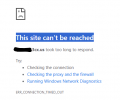
I also tried restarting all of the services through the 3CX admin portal and I also added the IP via Console Restrictions. As far as I can tell, there's nothing more in my firewall settings that should be blocking this traffic. I can still access the admin portal and web client from my normal computer, so the problem is specific to this new VM/IP.
I also tried restarting all of the services through the 3CX admin portal and I also added the IP via Console Restrictions. As far as I can tell, there's nothing more in my firewall settings that should be blocking this traffic. I can still access the admin portal and web client from my normal computer, so the problem is specific to this new VM/IP.


