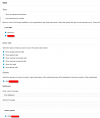
greychain Gold Partner Advanced Certified Joined Jul 13, 2018 Messages 779 Reaction score 122 Nov 6, 2023 #1 in my webclient I am seeing this. 18.0 (Build 939) webclient, whatever matches this. Although I have been testing V20 so I might have the wrong web client. Is that even possible?
in my webclient I am seeing this. 18.0 (Build 939) webclient, whatever matches this. Although I have been testing V20 so I might have the wrong web client. Is that even possible?
TheodorosG_3CX Staff member 3CX Support Joined Jan 21, 2020 Messages 4,468 Reaction score 1,417 Nov 6, 2023 #2 This depends, do you have any bridge? As you can see there is difference there, the one is the user that you logged in and the other can be called.
This depends, do you have any bridge? As you can see there is difference there, the one is the user that you logged in and the other can be called.
greychain Gold Partner Advanced Certified Joined Jul 13, 2018 Messages 779 Reaction score 122 Nov 8, 2023 #3 Yes, there was a bridge which was disconnected. Once I removed the second ext went away
TheodorosG_3CX Staff member 3CX Support Joined Jan 21, 2020 Messages 4,468 Reaction score 1,417 Nov 8, 2023 #4 Is your issue resolved now?
greychain Gold Partner Advanced Certified Joined Jul 13, 2018 Messages 779 Reaction score 122 Nov 8, 2023 #5 Yes, but I do wonder how my screen would look like if I had mutliple bridges between different offices. Is there anyway to suppress this?
Yes, but I do wonder how my screen would look like if I had mutliple bridges between different offices. Is there anyway to suppress this?
TheodorosG_3CX Staff member 3CX Support Joined Jan 21, 2020 Messages 4,468 Reaction score 1,417 Nov 8, 2023 #6 It depends on the view you will select in the web client. Check in the settings<<view where you are able to select whether you want to see bridges.
It depends on the view you will select in the web client. Check in the settings<<view where you are able to select whether you want to see bridges.
greychain Gold Partner Advanced Certified Joined Jul 13, 2018 Messages 779 Reaction score 122 Nov 8, 2023 #7 I don't see that as an option , do I need to change this at admin level?
TheodorosG_3CX Staff member 3CX Support Joined Jan 21, 2020 Messages 4,468 Reaction score 1,417 Nov 8, 2023 #8 If the bridge is disconnected you will not see any option there.
greychain Gold Partner Advanced Certified Joined Jul 13, 2018 Messages 779 Reaction score 122 Nov 8, 2023 #9 Yesterday I deleted the bridge and the duplicate disappeared . Today I added a master and a slave dummy bridges and the duplicate is not showing now .
Yesterday I deleted the bridge and the duplicate disappeared . Today I added a master and a slave dummy bridges and the duplicate is not showing now .
TheodorosG_3CX Staff member 3CX Support Joined Jan 21, 2020 Messages 4,468 Reaction score 1,417 Nov 8, 2023 #10 This means that is not showing presence information between the bridges. Once they are properly connected you will be able to see the information there.
This means that is not showing presence information between the bridges. Once they are properly connected you will be able to see the information there.
greychain Gold Partner Advanced Certified Joined Jul 13, 2018 Messages 779 Reaction score 122 Nov 8, 2023 #11 OK, thanks.
TheodorosG_3CX Staff member 3CX Support Joined Jan 21, 2020 Messages 4,468 Reaction score 1,417 Nov 8, 2023 #12 You are welcome