Windows Server 2012? SBS 2011?

Status
Not open for further replies.

LCC

Joined
Jul 8, 2011
Messages
42
Reaction score
0
Anyone tried 3CX on Windows Server 2012? How about SBS 2011? My Windows server 2008 blew up on me and I am thinking of moving to one of the newer servers.

Thanks.
 
Any Windows OS should work however I'd stick to whats tested, and supported.
 
For me 3CXPS v10 works fine under SBS2011
 
I went ahead and installed it on Windows Server 2012. Install went smooth and its working fine.
 
Hi there,

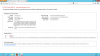
I aslo tried to install v11 on server 2012 (release candidate), i didnt test all the features but what I noticed is there is some misconfiguration with IIS, via web notihing is working, picture is in the attach, does anybody have this issue too?
 

Attachments

  • 3cx_web_access.png
    3cx_web_access.png
    99.4 KB · Views: 2,685
Windows 2012 is no problem at all. Works perfectly.
 
Upon how many users can a Foundation server be used?
Are there limitations on simaltaneous IIS connections?
 
Some people say it works, some people say there are problems - I'm one of those that says there are problems with 3CX v11 on Windows Server 2012.

Having installed 3CX v11 twice on 2 separate servers running clean builds of Windows Server 2012 Standard (not the pre-release!), there are definite problems. First install used the Abyss web server and restore from a 3CX backup. Seemed to install ok, but any web-based functions would fail. Second install, on a different server and using the IIS option without a restore of 3CX databases again seemed ok but web-based functions all fail. This included logging into the management console on the server through a browser or MyPhone connections. Windows firewall was disabled.

Another participant in this thread has posted similar screens to the errors I've seen.

So... I'm curious to know what the people are doing who say Windows Server 2012 and 3CX v11 work without any problem. That isn't my experience.

Mark
 
Having installes 3CX V11 on a 2012 Server Standard using IIS, having properly configured IIS we had no problems whatsoever.
 
When you say "properly configured IIS"... apart from installing the role on Windows Server 2012, what else would be required for 3CX v11 to function?

Has anyone had any success with Abyss on WinSrv 2012?
 
tom_ch said:
Upon how many users can a Foundation server be used?
Are there limitations on simaltaneous IIS connections?

Probably if more than 30 MyPhone users, not sure whether locally installed MyPhone is important.
No other issues about number of extensions, etc. – I have a system with 64 SC licenses and about 400 registered phones running smoothly on HP MicroServer N40L with 4GB of RAM and Foundation 2008R2 bundle.

Regards
 
I am having a similar issue, even installed SP2....

Running on WS 2012 using IIS

I only found that I had an issue when trying to setup voicemail as I hadn't used the web pages to access 3cx console as I was just doing the config on the actual server....

any help with getting IIS to work with 3CX
 
Users running 3CX Phonesystem on Windows Server 2012 or Windows 8, you will need to reinstall the Full Version of 3CX Phonesystem V11 which contains SP2.

Link: http://www.3cx.com/downloads/3CXPhoneSystem11.exe

Thanks
 
3CX Phone system SP2 Now supports Server 2012 and Windows 8. A clean full re-install is required.
Some Admin tips for the future.
When a software is released BEFORE an operating system release, this means that the software installation COULD NOT be tested on the final version of the operating system that was released. This is only logical. You can test on RTM versions until you are blue in the face. It will still never be the same as the final version.

The only time you can break this rule is
a) if you are installing some simple app - like a text editor that just copies files and runs them from anywhere in the local machine - basically will work on everything. 3CX is a highly complex installation. You cannot just decide to install it anywhere.
OR
b) When you know that the manufacturer's testing team consists of a group of highly telepathic martian aliens that are able to jump into the future and test the app on future platforms. Unfortunately we are not there yet - but I see that some users in this post already have this capability :lol:

So to put the jokes aside - admin who does not like to waste time will:
Install the APP on the OS he/she trusts and knows is officially supported.
Will first wait for the OS to be released THEN install the APP.
Will wait for the manufacturer to say something like this - Added support for Windows 8 and Server 2012.
 
Clean install on Win 2012 / 8 is working fine. Download latest 3CXPhoneSystem11.exe image, containing SP2.
Do not upgrade a SP1 installation to SP2, otherwise you will have problems with IIS.

Regards
 
Status
Not open for further replies.

Members Online Now

Forum statistics

Threads
111,843
Messages
589,328
Members
164,680
Latest member
JV J